Tag: real estate AI

  • The 10 Best AI Tools for Realtors in 2026

    The 10 Best AI Tools for Realtors in 2026

    You're probably already feeling the split in the market. Clients still expect the human parts of the job. Pricing judgment, negotiation, local context, showing strategy, deal management. But the admin load keeps growing, online attention keeps fragmenting, and buyers are starting discovery in places that didn't matter a few years ago. If your tech stack still depends on manual follow-up, one-off listing posts, and generic AI prompts, you're doing too much low-value work by hand.

    That's why the best AI tools for realtors aren't just “writing tools” or “chatbots.” The useful ones fit a workflow. They help you win the listing, price it better, respond faster, publish consistently, and stay inside compliance lines while you do it. In real estate, that compliance piece matters just as much as speed. Generic AI can draft fast, but if it creates risky language or needs constant cleanup, it's not saving you much.

    The market is moving quickly, but adoption is still early. In real estate, AI is mostly changing jobs rather than replacing them, and direct generative AI skill replacement in 2025 covered only 0.7% of the 2,900 skills analyzed across the sector, according to PwC and ULI's real estate AI analysis. That lines up with what most agents are seeing on the ground. AI is strongest when it handles recurring work so you can spend more time on clients and closings.

    If you want a broader playbook beyond software, this guide to modern real estate marketing tactics pairs well with the stack below.

    1. ListingBooster.ai

    ListingBooster.ai

    A listing goes live at 9 a.m. By noon, you still need MLS remarks, social posts, a flyer, and a version the seller will approve. That production work steals hours from prospecting and follow-up. ListingBooster.ai is useful because it starts with the property and turns it into a full set of marketing assets in one workflow.

    That matters more than another generic writing tool. Agents do not need more draft text. They need faster throughput, fewer revisions, and copy that stays inside Fair Housing lines. ListingBooster.ai is built for real estate tasks, so the output is closer to publishable on the first pass, especially for listing descriptions, social variations, multi-photo posts, and print materials.

    Its strongest fit is the content layer of a realtor AI stack. If your workflow is lead generation, listing launch, nurture, and reporting, this tool sits in the listing launch and content production stage. It helps solo agents cut context switching, and it gives teams a more consistent brand voice across agents and assistants.

    Best use case

    ListingBooster.ai works best for agents and brokerages that publish at volume and want one system to produce approval-ready listing marketing fast.

    • Property-first workflow: Start from a property URL or MLS data, then generate listing copy, channel-specific social posts, visuals, and print assets from the same source.
    • Compliance support: Built-in Fair Housing checks reduce the risk of publishing language that creates avoidable compliance exposure.
    • Editable output: The content usually needs review, but the edits are lighter than what generic AI tools often require.
    • Operational payoff: You spend less time rewriting the same property story for five different channels.

    If you want to evaluate the listing copy side in more detail, their guide to an AI real estate listing description generator shows how that part of the workflow is structured.

    The trade-off is straightforward. Native publishing does not cover every channel, and heavier use can push you into extra credits. Personalization also improves after the system sees enough approvals and edits from your team. That is a normal ramp period, but it means the ROI is better for agents who will use it consistently, not once or twice a month.

    From a compliance standpoint, the value is practical. Speed only helps if the copy is safe to send. A tool that saves 20 minutes but creates risky phrasing is not saving much. ListingBooster.ai earns its place by helping agents produce more content from each listing while keeping review time and Fair Housing risk under better control.

    2. RPR

    RPR is one of the easiest AI wins for REALTORS because it starts with data agents already trust. If you're doing CMAs, pricing conversations, seller presentations, or market update content, RPR gives you parcel-level property data, comps, and standardized reports in one ecosystem.

    Its AI layer is useful because it turns market stats into usable client-facing language. That includes scripts and captions for social, video, and presentations. For agents who know the numbers but don't want to spend extra time packaging them, that's a practical shortcut.

    Best use case

    RPR is strongest when you need pricing support that looks polished and credible without reinventing the wheel. The mobile workflow also helps when you're talking through value in the field and need a faster path to a CMA.

    • Included value: Many agents already have access through NAR membership.
    • Pricing conversations: Good fit for quick, data-backed prep before listing appointments.
    • Client-ready reports: Standardized outputs reduce formatting time.

    The downside is usability. Newer agents sometimes find the interface heavier than it needs to be. But experienced agents usually care more about reliability than elegance, and RPR has that.

    For compliance, the benefit is indirect but important. When you market with actual market stats and property facts instead of demographic-coded language, your messaging gets safer and more defensible. That's where RPR helps. It keeps the focus on property, pricing, and trends.

    Website: RPR

    3. Ylopo

    Ylopo is for agents and teams who already understand one truth about lead gen. Speed matters, but persistence closes more business than speed alone. If you have website traffic, paid leads, IDX traffic, or an aging database, Ylopo's AI text and voice tools help you keep follow-up running when your day gets pulled into showings and contracts.

    What makes it useful is the behavioral trigger layer. Outreach can react to IDX activity instead of sitting on a fixed drip schedule. That gives the conversations more relevance, especially when a lead comes back to browse after going quiet.

    Where Ylopo earns its keep

    Ylopo isn't a lightweight add-on. It's a funnel system. You're paying for lead nurturing, branded IDX experiences, remarketing, and conversation automation together, so it makes the most sense when you already have enough volume to justify a systemized approach.

    Good lead automation doesn't replace agent follow-up. It makes sure the right lead gets to you before interest fades.

    A few trade-offs are worth calling out:

    • Strong fit for team workflows: AI text and voice outreach can reduce missed opportunities from delayed response.
    • Behavior-aware follow-up: IDX signals make conversations feel less random than standard drips.
    • Less transparent pricing: You'll usually need a demo, and package costs can rise with add-ons.
    • Requires process discipline: If your CRM hygiene is weak, no AI layer will fix that.

    For teams evaluating voice AI more broadly, this CMO's guide to conversational AI is a useful strategic companion. And if you're an independent agent trying to decide whether this kind of automation is too much or just enough, ListingBooster.ai's take on an AI marketing assistant for independent realtors helps frame the decision well.

    Website: Ylopo

    4. Structurely

    Structurely (Aisa Holmes)

    Structurely's Aisa Holmes is one of the better-known real estate AI assistants for lead qualification. It handles two-way conversations across SMS, email, and chat, with a clear job: gather intent, timeline, financing details, and hand back the lead when a human should take over.

    That handoff point is what matters. Plenty of tools can answer the first message. Fewer can keep a conversation going long enough to separate casual browsing from actual readiness. Structurely is built for that middle layer.

    What it does well

    This tool is strongest for teams dealing with a lot of inbound leads, portal inquiries, or old database contacts that still need qualification before they reach an agent. It reduces the amount of time agents waste on people who aren't ready, while still catching the ones who become ready at odd hours.

    • Multi-channel coverage: SMS, email, and chat give you more than one path to engagement.
    • Real estate-specific qualification: Timeline and financing questions are central to useful triage.
    • CRM integrations: Better when your ops team wants cleaner handoff and tracking.

    The trade-offs are familiar in this category. Pricing usually isn't transparent, and annual agreements are common. That makes it a stronger choice for teams with lead volume than for solo agents with a smaller, more relationship-driven book.

    As of 2026, AI calling in real estate has advanced to the point where tools such as Structurely can directly call leads, hold human-sounding voice conversations, qualify prospects, answer basic questions, and schedule appointments, as noted in V7 Labs' market overview of real estate AI tools. That's useful, but it also raises the bar for supervision. You still need clear escalation rules, message review, and compliance oversight.

    Website: Structurely

    5. Roof AI

    Roof AI

    Roof AI is a site-level assistant, not a broad business operating system. That narrower focus is its strength. If your brokerage or team site gets traffic but visitors don't convert because they don't want to fill out a form, Roof AI can create a lower-friction path into a conversation.

    It's built to answer property-specific questions like price, features, availability, and open house details. That keeps the interaction useful instead of generic. A consumer asking about a property wants immediate, concrete answers. They don't want a chatbot that sounds like a customer service script.

    Best fit for teams and brokerages

    Roof AI makes the most sense when you manage multiple listings, multiple agents, or enough site traffic that missed chats turn into missed opportunities. Solo agents can use it, but many won't need this level of on-site automation unless they have a strong website traffic engine.

    Website chat only helps if it answers real listing questions and routes people cleanly to the next step.

    The practical upside:

    • Property-aware conversations: Better than generic chatbot logic.
    • Lead capture and routing: Useful for brokerages assigning inquiries across agents.
    • Always-on coverage: Helpful outside business hours when consumers are still browsing.

    The limitation is scope. If your core problem is content creation, database nurture, or pricing analysis, this won't solve it. It's a conversion-layer tool. Used in the right place, that's valuable. Used in the wrong place, it's just another dashboard.

    Website: Roof AI

    6. LocalizeOS

    LocalizeOS (Hunter)

    LocalizeOS, through Hunter, is built for a very specific pain point. Old buyer leads that never got properly worked, or were worked once and then ignored. This is a common issue. They have a large CRM, a lot of names, and no realistic way to follow up consistently without assigning someone to a task nobody enjoys.

    Hunter handles ongoing texting, profiling, and listing matching to bring high-intent prospects back into the pipeline. That's not glamorous, but it's useful. Database reactivation often produces better conversations than cold lead generation because the contact already knows your brand.

    Where it belongs in the stack

    This is mostly a team and brokerage tool. If you're a solo agent with a smaller sphere-based business, it may be too much. If you're sitting on a large buyer database, it can become a steady source of resurfaced opportunities.

    • Good for aged leads: It keeps the conversation going without manual effort every week.
    • CRM-connected outreach: Better when your existing database is already segmented reasonably well.
    • Brand continuity: Outreach can feel more consistent than ad hoc ISA work.

    The caution is that this kind of system only works if your team responds when Hunter identifies a live opportunity. AI can reopen the door. It can't walk through it for you.

    Website: LocalizeOS

    7. HouseCanary

    HouseCanary

    HouseCanary sits in the valuation and analytics bucket, and that's where many of the best AI tools for realtors create immediate credibility. A good pricing conversation is still one of the highest-value moments in the business. If your data support is weak, you're relying too much on confidence alone.

    HouseCanary offers machine-learning AVMs, valuation ranges, confidence scores, market analytics, and an agent-facing path through CanaryAI. According to Re-Leased's overview of vertical AI in real estate, purpose-built vertical AI tools tend to outperform general AI tools because they connect directly to proprietary real estate data sources and can support tasks like audit-ready citations and extraction that generic models can't handle well. HouseCanary is a good example of why that matters.

    What to expect in practice

    For listing agents, this is most useful as a support layer for pricing rationale and market positioning. For investor-facing agents or analytically minded teams, it also helps with broader forecasting and opportunity spotting.

    • Valuation support: Useful when you want a more defensible starting point.
    • Agent access: The CanaryAI layer lowers the barrier compared with enterprise-only tools.
    • Stronger than generic AI: Because the model is tied to real estate data and valuation workflows.

    The main caution is cost creep. Usage-based components and add-ons can change the economics if you use the platform heavily. Also, no valuation tool replaces local judgment. It strengthens your pricing discussion. It doesn't substitute for neighborhood-level expertise, condition nuance, or live feedback from actual buyers.

    Website: HouseCanary

    8. Restb.ai

    Restb.ai

    Restb.ai handles a part of the listing workflow that agents often underestimate. Images. Specifically, tagging rooms and features, checking image-related compliance, and generating photo captions or alt text through MLS and vendor integrations.

    That sounds administrative, because it is. But admin work is exactly where AI has gained traction in real estate. PwC notes that firms are deploying AI heavily in repeatable tasks with consistent deliverables, including extraction and analytics work inside real estate operations, which fits this category well in day-to-day practice.

    Why image intelligence matters

    If your media workflow depends on manually labeling features, checking standards, and writing image support text, this can save real effort. It also improves consistency, especially across higher listing volume.

    • Photo tagging: Reduces repetitive MLS prep work.
    • Compliance support: Helpful when image metadata and standards matter.
    • Accessibility support: Alt text and captions help make marketing more usable.

    For solo agents, access is the main issue. Restb.ai often comes through MLS or vendor relationships rather than direct lightweight subscriptions. So the question usually isn't “Should I buy Restb.ai?” It's “Do I already have access through a platform I use?”

    Website: Restb.ai

    9. CubiCasa

    CubiCasa is one of the easiest tools on this list to explain to a seller. It creates 2D and 3D floor plans from a quick phone walkthrough, without requiring laser hardware. That makes it a practical add-on for listings where layout clarity helps buyers understand the home quickly.

    This tool isn't trying to be a full AI marketing suite, and that's a good thing. It solves one problem well. Buyers often struggle to piece together room flow from photos alone, and floor plans remove that friction.

    Why agents keep using it

    CubiCasa is useful because it's simple, visual, and operationally realistic. You can add floor plans to your listing media stack without introducing a complicated production process.

    • Fast mobile capture: A short walkthrough can generate usable plans.
    • Useful output formats: Works for branded listing media and presentation material.
    • Clear consumer value: Helps buyers understand space without guessing from photos.

    The downside is execution quality. Like most scan-based tools, results depend on the scan itself. Large or complex properties may require extra care, and not every home scans equally cleanly. Still, for many listings, this is one of the easier AI-assisted upgrades to justify.

    Website: CubiCasa

    10. REimagineHome

    REimagineHome

    REimagineHome is built for virtual staging and redesign. That makes it attractive for vacant listings, dated interiors, and properties where buyers need help seeing potential. It can generate photorealistic staged or redesigned images for interiors and exteriors, and it supports batch processing, which matters if you handle listing volume.

    Used carefully, this is a strong presentation tool. Used carelessly, it creates trust issues. That's the central trade-off with all AI image enhancement in real estate. The better the output looks, the more disciplined you need to be about disclosure and MLS rules.

    Compliance matters more here than almost anywhere

    Experienced agents must remain sharp. Image edits can improve marketing, but they can also create problems if they imply features, finishes, or conditions that aren't present. Every market has its own standards, and broker review still matters.

    Generic AI tools also create risk in copy that accompanies staged visuals. CL Skills Hub's note on realtor AI tools points out that ChatGPT Plus is priced at $20 per month and does not include Fair Housing guardrails by default, so agents need to manually audit listing descriptions before publishing. That's exactly why many agents are better off pairing image tools like REimagineHome with a real-estate-specific content tool rather than relying on a generic text generator alone.

    • Best use: Vacant, outdated, or visually flat listings.
    • Main advantage: Faster and lower-cost than physical staging in many situations.
    • Main risk: Disclosure failures and over-edited imagery.

    If your work leans heavily toward listings, this roundup of the best AI tools for listing agents is a useful complement.

    Website: REimagineHome

    Top 10 AI Tools for Realtors, Feature Comparison

    Product Core features ✨ UX & Quality ★ Price & Value 💰 Target audience 👥 Unique selling points ✨
    ListingBooster.ai 🏆 Campaign-first: MLS-optimized copy, platform-native socials, print assets, Authority Builder ✨ Fast setup (5–10 min), editable, Fair Housing checks ★★★★☆ From ~$35–$40/mo, credit-based, 30-day trial 💰 Solo agents, teams, brokerages 👥 AI-optimized for ChatGPT/Google AI discovery, scalable campaigns, compliance-focused 🏆
    RPR (Realtors Property Resource) Nationwide parcel data, AI Market ScriptWriter, CMA tools ✨ Standardized client-ready reports, enterprise UI ★★★★ Included with NAR membership (no extra sub for many) 💰 NAR REALTORS, listing/pricing specialists 👥 Recognized, standardized reports and deep U.S. coverage ✨
    Ylopo (RAIYA AI Text + Voice) AI text + voice outreach, IDX triggers, branded IDX sites ✨ Purpose-built funnel tools, multi-channel nurture ★★★★ Package-based pricing; demos often required 💰 Teams/agencies focused on lead conversion 👥 Full-funnel automation with AI voice/SMS and IDX-driven triggers ✨
    Structurely (Aisa Holmes) Two-way AI conversations via SMS, email, chat; CRM integrations ✨ Strong lead-qualification, reduces unqualified leads ★★★★ Annual contracts common; pricing via sales 💰 Teams, high-volume agents, enterprises 👥 Deep qualification logic and white-label/enterprise options ✨
    Roof AI Property-aware Q&A, lead capture, MLS/property lookups ✨ 24/7 on-site engagement, reduces form friction ★★★★ Custom pricing via sales; scales by volume 💰 Brokerages and teams with heavy web traffic 👥 Pre-trained real-estate intents and seamless lead routing ✨
    LocalizeOS (Hunter) Ongoing AI texting, profiling, listing-matching ✨ Persistent re-engagement that lifts ROI ★★★★ Custom/demo pricing; sold via sales 💰 Teams/brokerages with large databases 👥 Scales long-term follow-up and returns high-intent prospects ✨
    HouseCanary ML AVMs, CMAs, propensity-to-list, APIs ✨ Defensible valuations and analytics for pricing talks ★★★★ Usage/add-on costs; agent tier available (from ~$19/mo promoted) 💰 Agents needing valuation & analytics, developers 👥 Machine-learning AVMs + developer APIs for deep integration ✨
    Restb.ai Computer vision: room/feature tagging, photo compliance, alt-text ✨ Cuts manual tagging, improves image metadata ★★★★ Enterprise/MSL-level pricing; partner access common 💰 MLS vendors, brokerages, listing platforms 👥 Automated photo tagging, compliance checks, SEO/ADA boosts ✨
    CubiCasa Mobile 2D/3D floorplans from phone scans, fast turnaround ✨ Quick 5–10 min scans, per-order UX ★★★★ Per-scan pricing; free/LITE and PLUS options 💰 Agents/photographers needing floorplans 👥 No-hardware mobile scans with branded exports and fast delivery ✨
    REimagineHome Photorealistic virtual staging, bulk processing, design presets ✨ Affordable, fast virtual staging with batch workflow ★★★★ Credit-based plans; extra credits for high volume 💰 Agents, photographers, listing marketers 👥 High-quality virtual staging at scale with batch workflows ✨

    Final Thoughts

    Monday at 8:15 a.m., three leads came in overnight, a seller wants pricing support before noon, and a new listing still needs remarks, visuals, and a floor plan. The right AI stack should reduce that pileup, not add another dashboard to babysit.

    A useful setup usually follows the work itself. Use one tool for listing content and visibility, one for lead response or nurture, one for pricing and market support, and a visual tool only if it solves a real marketing problem in your listing mix.

    Keep the adoption test simple. A tool should save noticeable time each week, connect to the systems you already use, let you fully edit anything client-facing, and support Fair Housing safe workflows, according to Build Inc.’s criteria for viable agent adoption. If it creates extra review work, weakens message control, or leaves compliance questions unanswered, skip it.

    A practical stack by workflow

    • Content and visibility: ListingBooster.ai
    • Pricing and market support: RPR or HouseCanary
    • Lead qualification: Structurely, Ylopo, Roof AI, or LocalizeOS, based on lead volume and team setup
    • Visual enhancement: CubiCasa, Restb.ai, and REimagineHome, if they support your listing process

    Start with the bottleneck that costs you time or deals. If listings drive your business, fix content production and campaign execution first. If internet leads go cold, start with response speed and long-tail nurture. If sellers push back on price, invest in stronger valuation support and reporting.

    Use fewer tools well.

    Compliance still sits over all of it. AI-written copy, image edits, and automated text follow-up still run through your license and your brokerage. Keep language focused on the property, measurable features, condition, layout, lot, and location facts that are safe to describe. Do not describe the type of buyer, tenant, family, or lifestyle the home is "for."

    The broader pattern is clear. Firms use AI well for repeatable tasks, data-heavy analysis, and first-draft production. Agents still need to own judgment, advice, negotiation, and final review. That is the profitable split, and it is also the safer one.

    For many agents in 2026, a purpose-built real estate platform is the cleanest first step. Add specialized tools only when they solve a defined workflow problem and fit your compliance process.

    If you want a straightforward starting point, ListingBooster.ai is a practical first test. It is built for real estate listing and authority content, and it keeps final editing in the agent's hands. For agents, teams, and brokerages trying to publish consistently while keeping compliance in view, it deserves a close look.
  • MLS Description vs Zillow Description How to Win on Both

    MLS Description vs Zillow Description How to Win on Both

    A listing can have strong photography, sharp pricing, and a solid property, then still underperform online because the description isn't doing the right job in the right place.

    That's the part many agents miss. They write one paragraph, paste it everywhere, and assume syndication will handle the rest. It won't. The MLS, Zillow, Realtor-style portals, and social posts don't reward the same kind of copy. One needs precision. Another needs clarity. Another needs a hook strong enough to stop a thumb mid-scroll.

    The MLS description vs Zillow description question isn't whether one matters more. It's whether your message survives the trip from listing input to buyer view without losing accuracy, readability, or compliance.

    When a Great Listing Goes Unseen

    A common scenario looks like this. The home is clean, updated, and priced in line with the market. Photos are professional. The yard shows well. Yet the listing sits with fewer inquiries than expected, and the seller starts asking the question every agent dreads: “Why aren't we getting more traction?”

    Often, the issue isn't the house. It's the copy.

    I've seen agents load the MLS with every feature they can think of, then wonder why the portal version reads flat. I've also seen the opposite: a polished consumer-facing paragraph that sounds nice on Zillow but leaves out the details another agent needs to schedule a showing with confidence. In both cases, the property loses momentum because the description was written once instead of designed for distribution.

    A listing description doesn't fail only when it's badly written. It also fails when it's placed in the wrong format for the channel reading it.

    That's the practical challenge behind MLS description vs Zillow description. The problem isn't merely agent audience versus buyer audience. The problem is message transfer. What starts as a fact-first entry in the MLS may show up on Zillow shortened, reformatted, or stripped of the visual cues that made it readable in the first place.

    What agents should focus on

    • Start with channel intent: MLS is formal and fact-first. Zillow and Realtor-style pages need consumer clarity. Social needs a scroll-stopping angle.
    • Build one core message: Pull out the property's strongest facts, best benefits, and most searchable phrases before you write anything.
    • Adapt instead of duplicating: You're not creating extra work when you tailor copy. You're preventing weak syndication from doing the tailoring for you.

    When listings underperform, rewriting the description is one of the fastest fixes available. Not because words solve every problem, but because words control how buyers and agents interpret everything else they see.

    MLS vs Zillow Purpose and Presentation

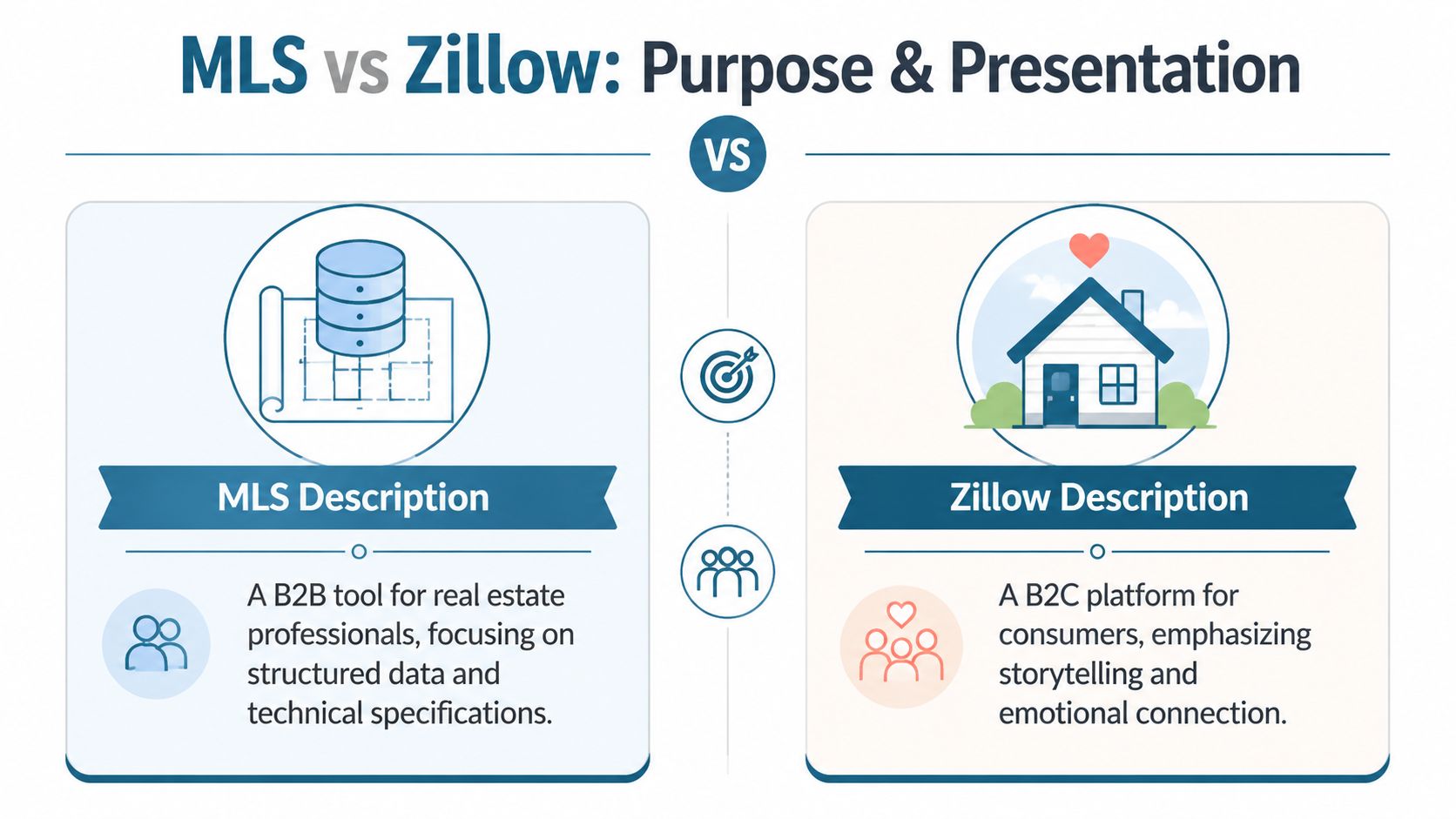
    The cleanest way to think about MLS description vs Zillow description is this: the MLS is a professional operating system, while Zillow is a consumer storefront.

    The MLS holds the structured record. Zillow packages that information for browsing. Those are related jobs, but they're not the same job.

    Factor MLS description Zillow description
    Primary audience Agents, brokers, appraisers, and other professionals Buyers browsing homes online
    Main purpose Accuracy, completeness, and listing workflow support Clarity, interest, and consumer engagement
    Writing style Fact-first, structured, compliance-aware Shorter, benefit-led, easier to scan
    Data environment More exhaustive listing structure Lighter presentation layer around listing details
    Practical role Often treated as the authoritative source for active details Marketing layer for discovery and inquiry

    A comparison chart highlighting the professional database focus of MLS versus the consumer-friendly, emotional storytelling of Zillow.

    Why the formats are different

    A practical historical difference is length and data density. Zillow's own guidance says a property description should be 250 words or less because of space limits on MLS and Zillow, while an independent comparison reports that the average MLS listing contains over 200 fields versus Zillow's 40–90 fields. The same comparison also notes that the MLS in the U.S. is a network of over 900 regional databases, which is part of why agents treat MLS remarks as the authoritative source for active listing details (Joy Watson's MLS and Zillow comparison).

    That difference should change how you write. MLS copy has to support precision inside a structured database. Zillow copy has to work when a buyer scans several listings in a row on a phone.

    What that means in practice

    • MLS rewards completeness: If a feature affects value, showing suitability, or agent understanding, it belongs in the record.
    • Zillow rewards readability: Buyers need to understand what stands out fast, without decoding agent shorthand.
    • Presentation changes perception: The same home can feel confusing in the MLS if it's too fluffy, and forgettable on Zillow if it reads like field notes.

    If you want a useful outside reference on phrasing and readability, Roomstage AI's description writing tips are worth reviewing alongside your own listing standards.

    How to Diagnose a Stale Listing Description

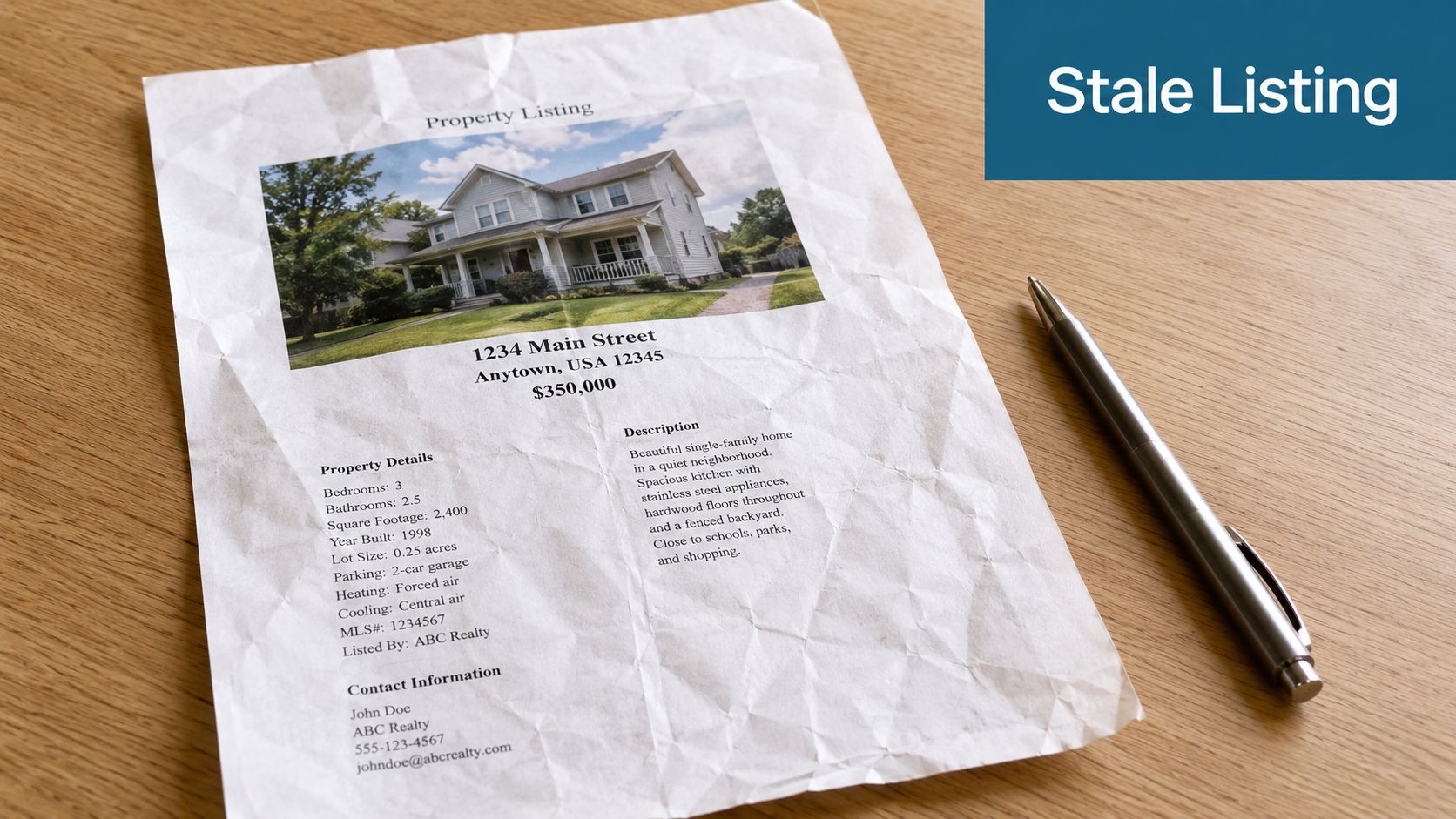
    A crumpled property listing sheet for a house on a wooden desk next to a pen.

    When a description goes stale, the symptoms are usually obvious once you know what to check. The copy either says too much without saying anything useful, or it says too little to help a buyer picture the home.

    A quick audit works better than a total rewrite from scratch. Pull up the live listing and read it as if you're seeing the home for the first time. Then read it again as a buyer's agent deciding whether to schedule.

    Five red flags

    1. Feature dumping without meaning
      “Granite counters, stainless appliances, hardwood floors, patio, fenced yard” is inventory, not communication. Features need order and context.

    2. Generic words doing all the work
      Terms like charming, cozy, stunning, and must-see usually signal weak specificity. If every listing could use the same adjectives, they aren't helping.

    3. No logical flow
      Buyers shouldn't have to piece the house together line by line. The description should move from overall appeal to layout, updates, and standout spaces.

    4. Missing search-friendly language
      If the property has a remodeled kitchen, covered patio, main-level primary suite, or dedicated office, say so plainly. Don't bury useful terms inside vague copy.

    5. Fair Housing risk
      This is not optional. Descriptions must focus on the property and location features, not the type of person who might live there.

    Practical rule: If your copy answers “what is it?” but not “why does it matter?” it's probably underperforming.

    A fast self-audit

    Use this simple pass/fail review:

    • First sentence test: Does the opening identify the property's strongest facts or best benefit immediately?
    • Scan test: Can someone skim it in seconds and still understand the home?
    • Portal test: Will this still read cleanly if line breaks or formatting disappear?
    • Compliance test: Does every phrase describe the property, not people, lifestyle categories, or protected classes?

    If you want examples of what stronger copy looks like, review these effective real estate descriptions and compare them to your current listings line by line.

    Writing for MLS Precision The Agent-to-Agent Channel

    The MLS description should help another agent understand the property quickly and accurately. Creativity matters far less here than clean, usable information.

    Many listings tend to drift off course at this point. Agents write MLS remarks as if they're writing ad copy, then leave out the details that answer the crucial questions other professionals have. What's updated? What's the layout? What makes this one easier to position to a buyer than the competing inventory?

    What belongs in the MLS description

    The MLS can carry more complete property detail and professional context, while Zillow emphasizes a tighter narrative. That creates a strategic choice for agents: use the MLS for compliance and completeness, and use consumer portals for search-friendly framing, as discussed in Dotloop's guidance on writing great real estate listings.

    A strong MLS public remark usually does a few things well:

    • Leads with hard facts: Bed and bath count, key layout note, standout upgrade, or major selling feature.
    • Clarifies condition and updates: Renovated kitchen, recent roof, newer HVAC, refreshed baths, or finished lower level.
    • Explains utility: Mention storage, work-from-home space, covered outdoor area, attached garage, or flexible rooms when relevant.
    • Stays clean and compliant: No coded language, no audience targeting, no exaggerated claims that can't be supported.

    Public remarks and agent remarks are not interchangeable

    Use public remarks for property-facing information. Use agent remarks for logistics and non-public workflow details like showing instructions, offer process, occupancy timing, or other broker-to-broker notes allowed by your MLS.

    The MLS description should help another agent decide, fast, whether this listing fits a client and is ready for a showing conversation.

    Before and after

    Weak MLS version
    Beautiful, charming home with tons of natural light and so much to offer. Stunning kitchen, spacious rooms, lovely backyard, and great location close to everything.

    Stronger MLS version
    Updated 3-bedroom, 2-bath home with open living and dining areas, renovated kitchen with stone counters and stainless appliances, and fenced backyard with covered patio. Main-level primary suite, dedicated laundry room, attached garage, and recent interior updates improve day-to-day function and showing appeal.

    If you're using AI to draft MLS copy, the standard should be the same. It needs to produce Fair Housing compliant descriptions, not just faster descriptions.

    Crafting the Zillow Story for Buyer Engagement

    A happy couple sitting on a sofa while browsing real estate listings on a digital tablet together.

    Zillow copy works best when it translates facts into an easy mental picture. Buyers don't need every field repeated. They need to understand why this home is worth clicking, saving, and scheduling.

    That means the Zillow version should feel tighter and more deliberate than the MLS version. Not vague. Not flowery. Just clearer.

    What buyers respond to on portal pages

    Start with the strongest lived benefit the property offers. Maybe that's a main-level primary suite, a bright open kitchen, a backyard setup that expands usable space, or a flexible room that works as an office or guest area. Then support that opening with concrete features.

    Good Zillow copy often follows this pattern:

    • Open with the headline benefit: What will a buyer notice first?
    • Add the features that prove it: Layout, upgrades, finishes, outdoor space, storage, or flexibility.
    • End with a next-step nudge: Invite a tour, a closer look, or a review of the photos.

    Keep the formatting simple

    MLS remarks are often treated as the authoritative source, but syndicated sites may truncate, reformat, or strip HTML-style formatting. Zillow also advises keeping the full description to 250 words or less, so the practical issue is often distribution fidelity rather than description quality (video discussion on MLS syndication and formatting loss).

    That changes the writing rules:

    • Write in short blocks: Dense text gets harder to scan after syndication.
    • Avoid fancy formatting: Symbols, stacked separators, and stylized spacing may not survive transfer cleanly.
    • Front-load value: If the portal cuts the description short, the strongest details should already be visible.

    A better Zillow example

    Instead of this:

    3-bedroom, 2-bath home with updated kitchen, hardwood floors, patio, and fenced yard.

    Try this:

    Enjoy an updated kitchen that opens to the main living space, a layout that feels connected for daily living, and a fenced backyard with room to relax, entertain, or garden. The main level offers bright gathering areas and practical flow, while the bedroom setup gives flexibility for guests, office use, or hobbies.

    That version still stays grounded in property features. It just helps the buyer picture use, not just count components.

    From Two Descriptions to One Smart Workflow

    The fix isn't writing two unrelated descriptions from scratch every time. That creates inconsistency, wastes time, and increases the chance that one version drifts away from the actual listing facts.

    The better approach is to build one core message set and adapt it by channel.

    Build the source message once

    Start with the essentials:

    • Core facts: Beds, baths, layout notes, recent updates, major systems, lot or outdoor highlights.
    • Top buyer benefits: Privacy of a split-bedroom plan, open gathering space, storage, flexibility, natural light, indoor-outdoor flow.
    • Search phrases: Terms buyers scan for, such as renovated kitchen, fenced backyard, covered patio, home office, or main-level primary suite.
    • Compliance review: Remove any phrasing that implies who should live there rather than what the property offers.

    Then turn that source material into channel outputs. MLS gets the fact-first version. Zillow gets the buyer-facing narrative. Social gets the hook.

    Screenshot from https://listingbooster.ai

    Why purpose-built tools matter

    Generic AI can write sentences. That doesn't mean it understands MLS conventions, syndication constraints, or Fair Housing risk. Real estate teams need a workflow that starts from listing facts and outputs channel-specific copy without making the agent manually rebuild every version.

    One option is an AI property description writer for MLS workflow that's built around listing inputs and channel-specific outputs. In practice, a real-estate-specific tool such as ListingBooster.ai fits better than a general chatbot. It can take a property URL or listing details and help structure separate versions for MLS, portals, and social without treating them as the same writing task.

    For agents thinking beyond today's listing pages, Spotlight's ChatGPT optimization strategies are also useful for understanding how structured business information affects discoverability in AI-driven search environments.

    The goal isn't more copy. The goal is one accurate message that keeps its power when it moves across platforms.

    What the workflow should prevent

    A good workflow reduces the three problems that hurt listings most:

    • Mismatch: The MLS sounds one way, Zillow says something else, and social introduces a third angle.
    • Loss: Important details disappear in syndication because they were buried or formatted poorly.
    • Risk: Fast edits introduce sloppy language, unsupported claims, or compliance issues.

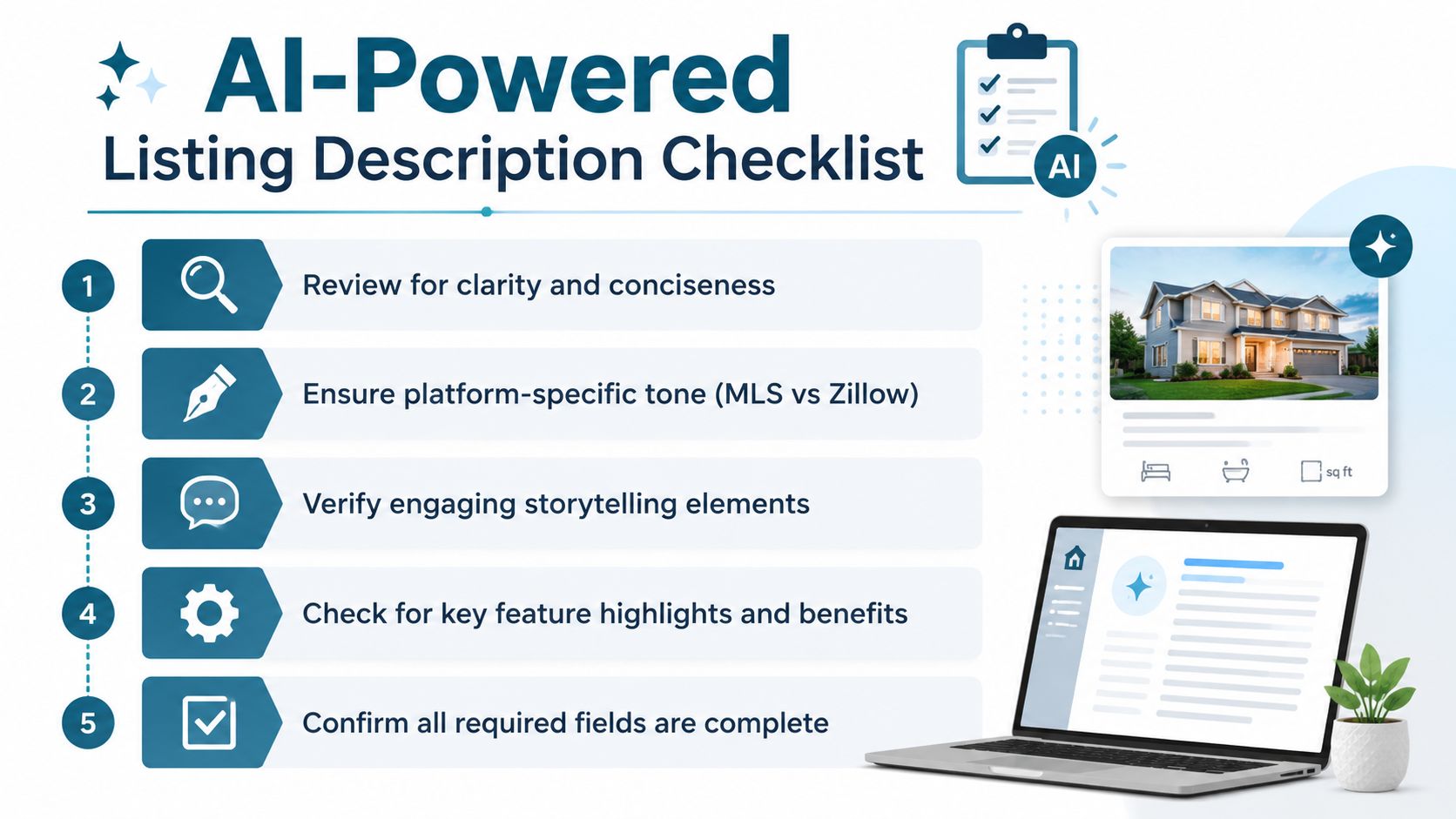
    Your AI-Powered Listing Description Checklist

    A strong pre-publication review catches most description problems before the seller ever sees weak performance. Use this checklist before you push any listing live.

    A five-step AI-powered real estate listing description checklist for property agents and home sellers.

    MLS checklist

    Ask these first:

    • Are the essential facts easy to find? The opening should quickly establish the property type, layout, and major strengths.
    • Have you prioritized useful details over adjectives? Replace vague praise with concrete updates, functional layout notes, and material features.
    • Did you separate public remarks from agent remarks properly? Keep process details where professionals expect them.
    • Would another agent understand the showing value fast? The description should help them match the property to a client without guesswork.

    Zillow and portal checklist

    Then review the buyer-facing version:

    • Does the first line create a clear picture? Open with the home's best lived benefit, not a list of specs.
    • Is the copy concise enough to survive syndication? Tight writing usually performs better than overloaded paragraphs.
    • Did you include plain-language search terms? Use phrases buyers recognize naturally when they browse.
    • Does the description read well on mobile? Short blocks and clean syntax matter more than clever formatting.

    Social and cross-channel checklist

    Don't stop at the portal page.

    • Can you pull a hook from the same source message? Social should introduce the property without inventing a new story.
    • Are the best features consistent across MLS, portal, and social? The emphasis can shift, but the facts shouldn't.
    • Would your seller recognize the same positioning everywhere? Consistency builds confidence.

    Compliance checklist

    This review should happen every time, no exceptions.

    • Does every phrase describe the property rather than the ideal occupant?
    • Have you removed coded language and demographic cues?
    • Are location references tied to features and access, not assumptions about residents?
    • Have all statements stayed factual and supportable from the listing details?

    Clean, specific, compliant copy is easier to trust, easier to syndicate, and easier to turn into every other marketing asset you need.

    Final pass before publishing

    Read the MLS version like an agent. Read the Zillow version like a buyer. Read the social caption like someone scrolling at speed. If each one feels written for its environment while staying faithful to the same core message, you're in good shape.

    That's the answer to MLS description vs Zillow description. You don't need two competing narratives. You need one disciplined message, adapted with intent.


    If you want to simplify that process, ListingBooster.ai helps agents turn one set of listing facts into channel-specific descriptions and related marketing content without relying on generic AI prompts. It's a practical fit for teams that want cleaner MLS copy, clearer portal descriptions, and a more consistent workflow across every new listing.

  • Your Fair Housing Compliant Listing Description Generator

    Your Fair Housing Compliant Listing Description Generator

    You're probably staring at the same box every agent knows too well: the listing description field is blank, the photos are uploaded, the facts are in the MLS, and you need copy that sounds sharp without creating a compliance problem. That tension is real. A good description helps market the property. A careless one can create avoidable risk.

    AI raises the stakes. It can save time, but it can also produce phrases that sound polished while crossing a line. The safer path isn't just running finished copy through a bad-word filter. It's using a Fair Housing compliant listing description generator in a way that limits risk from the first prompt.

    Why Every Listing Description Carries Legal Risk

    Most agents don't get in trouble because they meant to discriminate. They get in trouble because ordinary marketing language drifted into describing the ideal occupant instead of the home.

    That's why listing remarks deserve more respect than they often get. A sentence can be catchy, warm, and still imply preference. In print-only eras, exposure was narrower. Now every remark can spread across MLS feeds, portals, brokerage sites, email alerts, and social posts within hours.

    The blank field problem

    A typical sequence goes like this. An agent finishes the data entry, opens the remarks box, and starts with something harmless sounding: “perfect for…” That's usually the moment the risk begins. The sentence stops being about granite, floor plan, lot size, or transit access and starts being about who should live there.

    General AI tools can make this worse because they're designed to predict persuasive language, not housing-law-safe language. If your prompt includes tone cues, buyer assumptions, or neighborhood stereotypes, the model may confidently expand them into copy you should never publish.

    Practical rule: If a sentence tells the reader what kind of person belongs there, rewrite it so it tells the reader what the property offers.

    Fair housing compliance is not a side issue in this workflow. The U.S. Fair Housing Act was enacted in 1968, and later policy shifts expanded the practical compliance burden for digital real estate marketing, which is why compliance tooling has become a working necessity for listing copy at scale, as noted in this overview of AI listing description compliance.

    Why scale makes small mistakes expensive

    At a brokerage level, the concern isn't just one bad phrase. It's repetition. When agents publish listing after listing under deadline pressure, the same weak habits get copied, pasted, and amplified.

    A risky workflow looks like this:

    • Start with style before facts and let the tool improvise.
    • Prompt with buyer assumptions such as age, family status, religion, or income signals.
    • Rely on post-editing alone and hope someone catches every issue.

    A safer workflow starts with constraints. That's where specialized systems help. They turn compliance from a final clean-up task into part of the drafting logic itself.

    Understanding Prohibited and Preferred Language

    The core principle is simple: describe the property, not the people.

    That sounds easy until you look at how often real estate language slips into identity, lifestyle assumptions, or coded references. The goal isn't to make copy dull. It's to make it objective, attractive, and broad enough to welcome the widest possible audience.

    Understanding Prohibited and Preferred Language

    What creates risk

    Some language is obviously problematic. Some isn't. The more common problem in practice is subtle implication.

    Here are the patterns I tell new agents to watch for:

    • Demographic assumptions
      “Ideal for young professionals,” “great for retirees,” and “perfect for families” all shift attention from the property to the person.

    • Religious or cultural references
      Mentioning proximity to a house of worship or framing a home around a cultural group can imply preference, even if the intent was convenience.

    • Familial status signals
      Phrases tied to children, parenting, or household composition can suggest who the home is for.

    • Subjective neighborhood coding
      Terms like “mature neighborhood,” “exclusive area,” or similar language can carry implications beyond the property itself.

    • Outdated room labels
      Terms such as “master bedroom” are often better replaced with neutral alternatives like “primary suite.”

    Better wording in practice

    This isn't about stripping all personality from the copy. It's about moving the energy into facts, layout, finishes, and verified location details.

    Risky phrasing Safer alternative
    Perfect for young couples Thoughtful layout with flexible living space
    Walk to temple Convenient access to neighborhood amenities
    Quiet, mature neighborhood Residential setting with established homes
    Family-friendly backyard Fenced backyard with usable outdoor space
    Master bedroom Primary bedroom or primary suite

    The difference matters. The left column suggests people. The right column describes features.

    The strongest listing remarks don't tell readers whether they belong. They give readers enough property detail to decide for themselves.

    A quick test agents can use

    Before you publish, read each sentence and ask:

    1. Does this sentence describe the home or describe the likely occupant?
    2. Is the claim objective, or is it coded opinion?
    3. Could a reasonable reader hear preference or exclusion in it?

    If the sentence fails any of those tests, rewrite it.

    A good rewrite usually does one of three things:

    • swaps a person-based claim for a feature-based claim,
    • replaces a vibe word with a factual detail,
    • removes any reference that could signal protected-class preference.

    That mental filter catches more than a banned-word list ever will.

    How to Prompt Your AI for Compliant Descriptions

    A compliant output starts with a compliant input. If your prompt is vague, emotional, or demographic, the draft will usually be the same. If your prompt is factual, constrained, and specific, your editing burden drops fast.

    How to Prompt Your AI for Compliant Descriptions

    Use the factual-first method

    Real-estate AI guidance consistently points to the same practical workflow: feed exact property facts first, set constraints, generate a core paragraph, then review and remove exclusionary language before publishing, as explained in this guide to AI property description workflows.

    That means your prompt should include items such as:

    • Core property facts like beds, baths, square footage, lot details, parking, and HOA information
    • Specific upgrades such as quartz countertops, white oak floors, or a renovation date when verified
    • Objective location details like transit access, parks, or shopping, if those facts are accurate
    • Output limits such as tone, word count, and platform context
    • Negative constraints telling the model what to avoid

    Copy-and-paste prompt template

    Use something like this:

    Write an MLS-ready property description using only the facts provided below. Focus on the property's features, layout, finishes, and verified location advantages. Do not reference buyer type, age, family status, religion, gender, disability, income level, or any protected characteristic. Do not imply who the property is for. Avoid subjective neighborhood coding and avoid vague terms when a specific fact is available. Use clear short sentences and a professional tone.

    Facts:
    Property type:
    Beds/Baths:
    Square footage:
    Lot or outdoor features:
    Kitchen details:
    Primary suite details:
    Flooring:
    Parking:
    Recent upgrades with dates if verified:
    Nearby amenities or transit if verified:
    HOA if relevant:

    Output: one main description for MLS.

    That template works better than “Write a compelling description for this charming home” because it narrows the model's freedom where risk usually enters.

    What not to put in the prompt

    Avoid prompt instructions like these:

    • Target buyer language such as “for young families” or “appeals to professionals”
    • Emotional steering like “make it sound exclusive”
    • Unverified claims such as “updated kitchen” if you don't have the actual upgrade details
    • Formatting assumptions that may break MLS rules

    Some broader AI resources are helpful for understanding how agents are using these tools day to day. The Virtual Tour Easy guide to AI is useful background reading if you want a wider view of where AI fits into the real estate workflow.

    For MLS-specific drafting ideas, it also helps to review examples of an AI property description writer for MLS listings so you can compare general prompting with a more structured listing workflow.

    One more operational detail

    Don't forget platform formatting. Some MLS systems reject emojis and special symbols. Good copy can still fail if the final formatting isn't accepted by the system where you're publishing.

    Automating Compliance with ListingBooster.ai

    Manual review still matters, but a lot of risk can be reduced before you ever reach that step. That's the value of a purpose-built workflow. It doesn't just generate text. It limits where bad text can come from.

    Automating Compliance with ListingBooster.ai

    What a compliant-by-design workflow looks like

    A strong system does four things in order:

    1. Takes structured listing inputs instead of relying on a loose creative prompt.
    2. Builds the draft around property facts rather than audience assumptions.
    3. Checks for compliance issues automatically before the copy is finalized.
    4. Produces variants for the channels you use without forcing you to rewrite from scratch.

    That's where ListingBooster.ai fits cleanly into brokerage operations. It generates MLS-oriented property descriptions from listing inputs and applies a compliance-focused workflow so the agent isn't starting from a blank page or a generic chatbot prompt.

    Before and after thinking

    Consider the difference between these two drafts.

    Loose draft:
    “Perfect for a growing family, this charming home sits in a quiet neighborhood and features an updated kitchen.”

    Reworked draft:
    “This home offers a functional layout, fenced outdoor space, and a kitchen with verified improvements. The residential setting and usable interior flow support a range of living needs.”

    The second version isn't weaker. It's safer because it stays tied to observable features.

    Review standard: Good compliant copy still sells the property. It just does the selling through facts, not assumptions.

    Why output discipline matters

    Industry guidance puts the main description benchmark at about 200–250 words for balancing readability and detail on major portals, while also recommending an 8th–10th grade reading level and short sentences, according to this listing description length guide.

    That matters in compliance work because long, meandering copy tends to invite filler language. Filler is where unsupported adjectives, coded neighborhood claims, and buyer assumptions sneak in.

    A disciplined tool should help you produce copy that is:

    • Long enough to inform without wandering
    • Readable enough to scan quickly
    • Specific enough to sound credible
    • Neutral enough to avoid steering

    The trade-off isn't compliance versus marketing strength. The trade-off is structured drafting versus improvisation. Improvised AI copy may feel fast in the moment, but it usually creates more review work later.

    The Final Review Before You Publish

    Even with a strong generator and a decent compliance scan, the final responsibility still belongs to the licensee and the brokerage. This responsibility is what distinguishes professionals from casual users of AI. They don't assume the draft is safe just because software produced it.

    The Final Review Before You Publish

    The sign-off checklist

    Use a short, repeatable review before anything goes live:

    • Read for protected-class references
      Remove any direct or indirect language tied to race, religion, sex, familial status, disability, or other protected categories in your jurisdiction.

    • Check that every sentence is property-centered
      If a sentence describes the likely resident instead of the home, rewrite it.

    • Replace vague claims with verifiable detail
      “Updated” should usually become the specific improvement if you can support it.

    • Review for platform fit
      MLS copy, portal copy, and social captions don't always tolerate the same formatting or style.

    • Get a second set of eyes when needed
      A colleague may catch an implication you missed.

    Jurisdiction matters

    Federal rules are only the floor. Your state, city, local board, or MLS may have tighter expectations. That's why I tell agents to keep one current internal reference point for approved wording and escalation questions.

    If your team needs a practical framework for platform-safe marketing, this MLS-compliant real estate marketing article is a useful companion to the listing-description review process.

    A final review isn't busywork. It's your professional sign-off that the marketing describes the property accurately and invites the broadest lawful audience.

    Answering Your Toughest Compliance Questions

    The hardest compliance questions usually show up in unique listings. Accessibility features, school references, neighborhood context, and local protected classes all create gray areas if you're using AI casually.

    Can I mention accessibility features

    Yes, if you describe the feature, not the person who should use it. “No-step entry,” “wider doorway,” or “elevator access” is different from making assumptions about disability or medical need. The safer habit is to describe the physical attribute and stop there.

    Can I mention nearby schools or religious institutions

    Be careful. School quality language and religious proximity can quickly drift into steering. If a location fact is important, keep it objective and relevant to geography, not to a type of resident. In many cases, agents are better off avoiding references that pull the copy toward protected-class inference.

    Why isn't a compliance scanner alone enough

    Because the deeper problem starts earlier. General AI has no built-in understanding of housing-law boundaries. It can introduce risky ideas through prompt context, style settings, or neighborhood framing before the checker ever sees the final sentence.

    That's why one of the most important compliance questions today is not “How do I catch bad wording after generation?” It's “What parts of the generation system should be restricted so protected-class language can't emerge in the first place?” That design issue, along with the fact that state and local rules may extend beyond federal protected classes, is discussed well in this analysis of Fair Housing and AI workflows.

    What should be restricted in the system itself

    Three controls matter most:

    • Prompt inputs should be limited to factual property data and verified location details.
    • Style presets should avoid buyer avatars or demographic targeting.
    • Neighborhood references should be screened so they don't become coded signals about who belongs there.

    That's the shift brokerages need to make. Don't just buy a tool that flags violations after drafting. Build a workflow that prevents the risky draft from appearing in the first place.


    If your team wants a simpler way to draft property remarks inside a more controlled marketing workflow, ListingBooster.ai is worth evaluating for that purpose. It gives agents a structured way to generate listing content from property inputs while keeping compliance review part of the process, which is a far safer approach than improvising with a general chatbot and fixing problems later.

  • How to Write a Real Estate Listing Description with AI

    How to Write a Real Estate Listing Description with AI

    You've got the photos back. The seller wants the listing live today. The property has a few standout features, a few awkward ones, and just enough nuance that the usual “charming home with endless potential” filler will make it sound like everything else on the market.

    That's where most agents open a blank document, lose twenty minutes, and still end up rewriting the whole thing twice.

    AI helps, but only when you use it like a marketing system instead of a shortcut. If you treat it like a magic paragraph machine, it will give you generic copy, miss the key selling points, and sometimes invent details you never provided. If you treat it like a trained assistant with guardrails, it becomes one of the fastest ways to produce clean, usable listing copy.

    The shift is bigger than speed. By the mid-2020s, real estate AI tools had moved beyond simple text generation into specialized workflows for discoverability, compliance, and multi-channel distribution, with some platforms generating descriptions, neighborhood guides, and email templates in seconds, as noted by Write.Homes. That matters because your listing description now has to work in more than one place. It needs to read well for buyers, fit MLS rules, support portal visibility, and feed your social content pipeline.

    Agents in adjacent parts of the marketing stack are seeing the same trend. If you want a useful parallel, Dronedesk's drone operations insights show how AI and automation become valuable when they're built into repeatable operational workflows, not bolted on as a novelty.

    Moving Beyond the Blank Page with AI

    A professional real estate agent sits at a desk working on her laptop in a modern office.

    A lot of agents still approach AI the wrong way. They paste in an address, ask for a “compelling listing description,” and hope the model reads their mind. It won't. Generic prompts produce generic copy.

    A stronger approach starts with a simple mindset shift. AI is your drafting engine, not your judgment engine. It can organize features, vary sentence structure, and produce fast first drafts. It can't walk the property, sense buyer objections, or protect your license.

    What AI does well

    AI is useful when you need momentum. It's good at turning structured facts into readable copy, creating multiple angle variations, and reformatting one core description for different channels.

    Used properly, it helps with work like:

    • First drafts: Turning raw property notes into something readable.
    • Angle testing: Writing one version for move-up buyers and another for downsizers.
    • Repurposing: Converting listing copy into email blurbs, social captions, or neighborhood snippets.
    • Consistency: Keeping your output steady when you're juggling multiple listings at once.

    What AI does badly

    AI struggles when the input is vague, messy, or incomplete. If you feed it scraps, it fills gaps with assumptions. That's where agents get burned.

    Practical rule: Never ask AI to “describe the property” until you've already decided what facts are non-negotiable, what angles matter, and what language is off limits.

    It also tends to default to clichés. Words like “stunning,” “nestled,” “boasts,” and “won't last” show up fast when the prompt is weak. Those phrases don't differentiate the property, and they don't sound like a serious marketer wrote them.

    The real competitive edge

    Knowing how to write a real estate listing description with AI isn't about replacing your skill. It's about packaging your skill into a workflow you can repeat under pressure.

    The agents getting strong results aren't just better at prompting. They're better at collecting data, setting constraints, reviewing for compliance, and publishing across platforms without rewriting from scratch each time.

    That's the part worth mastering.

    Prepare Your Property Data for AI Success

    The quality of your listing description is decided before you open ChatGPT, Claude, Gemini, or any real estate-specific writing tool. If your property details live in scattered texts, shorthand notes, and your memory from a rushed walkthrough, AI will amplify that mess.

    A strong AI-assisted listing starts with structured, verified property data because language models are prone to inventing details when they aren't tightly constrained, as discussed in this real estate AI workflow breakdown. The practical takeaway is simple. Give the model clean inputs such as beds, baths, square footage, and upgrades before prompting it.

    A six-step checklist titled Prepare Your Property Data for AI Success for real estate listing creation.

    Build one property sheet before you write anything

    Use a repeatable intake sheet, not a blank note. A spreadsheet, form, CRM field set, or transaction template all work fine. The format matters less than consistency.

    Include these categories:

    • Core facts: Property type, location, beds, baths, square footage, lot size, year built, parking, HOA details if relevant.
    • Interior highlights: Renovations, flooring, kitchen finishes, ceiling height, storage, layout details, appliance upgrades, office space, natural light.
    • Exterior features: Yard, deck, patio, pool, landscaping, views, fencing, outbuildings, curb appeal notes.
    • Functional benefits: New roof, energy-efficient windows, updated systems, smart home features, workshop space, mudroom, laundry placement.
    • Lifestyle context: Nearby parks, transport links, shopping, dining, schools, waterfront access, trail access, commute convenience.
    • Selling angle: Who is this home likely to resonate with, based on the property itself, not a protected-class assumption.

    Add the details agents often skip

    The difference between average AI copy and useful AI copy usually sits in the specifics. “Updated kitchen” is weak. “Kitchen renovated with quartz counters and expanded pantry storage” gives the model something real to work with.

    Past listing files can help here too, especially if you're trying to preserve tone and avoid missing a key feature. High-quality imagery also sharpens your notes. Strong visual presentation often reveals what should lead the copy, and Andy Barker Photography's real estate insights are a good reminder that marketing quality starts with how clearly the property is documented.

    A listing description shouldn't be your first attempt to understand the home. It should be the final expression of information you've already organized.

    Use a pre-prompt checklist

    Before you ask AI for anything, verify these points:

    1. Facts are confirmed: No guessing on measurements, dates, or upgrades.
    2. Features are prioritized: Decide which three to five details best sell the home.
    3. Neighborhood notes are relevant: Include what supports the property's appeal without slipping into loaded language.
    4. Your exclusions are clear: If a detail is uncertain, leave it out.
    5. Your source of truth is centralized: One sheet, one version, one clean reference.

    When agents ask me what makes AI listing copy work, this is the answer. Not the prompt. Not the model. The intake.

    How to Craft the Perfect Listing Description Prompt

    Once your data is clean, the prompt becomes much easier. You're no longer asking AI to invent. You're asking it to organize, emphasize, and format.

    The most effective prompt does four jobs at once. It defines the role, supplies the data, states the audience and tone, and sets hard boundaries. Guidance for real estate AI copy also recommends three controls that make drafts stronger and safer: SEO keyword guidance, audience segmentation, and grammar or compliance review, as outlined in Xara's guidance for AI real estate listings.

    A prompt template that actually works

    Copy this framework and adapt it:

    You are an experienced real estate copywriter. Write a professional real estate listing description based only on the property details below. Do not invent features, measurements, views, upgrades, or neighborhood claims not included in the input.

    Property details:
    [paste structured property data]

    Target buyer:
    [example: buyers seeking low-maintenance city living]

    Tone:
    [example: polished, clear, modern, not overly salesy]

    Requirements:

    • Keep it concise and natural
    • Lead with the strongest selling points in the opening
    • Include relevant local keywords naturally
    • Avoid clichés and exaggerated language
    • Avoid Fair Housing risk language or phrases that imply preferred types of people
    • Do not mention anything not listed in the property details
    • End with a clear invitation to schedule a showing or learn more

    Output format:

    • Version 1 for MLS
    • Version 2 for portal use
    • Version 3 as a short social caption

    That last line matters. Don't waste a good prompt on one output when the same inputs can generate three.

    Prompt decisions that change the result

    Small prompt changes create big quality differences. These are the levers worth controlling:

    • Role framing: “Experienced real estate copywriter” usually produces sharper output than “marketing expert.”
    • Audience direction: “Urban professionals” or “buyers seeking single-level living” gives the model a lens. Keep it property-based and compliant.
    • Tone controls: Ask for “clear and professional” if you want restraint. Ask for “luxury-focused and editorial” only when the listing supports it.
    • Exclusion rules: Explicitly banning clichés and invented details reduces cleanup time.
    • Length limits: If you don't specify length, AI often rambles.

    AI Prompt Variations by Property Type

    Property Type Key Prompt Elements to Include
    Downtown condo Emphasize walkability, low-maintenance living, building amenities, storage, views, and proximity to dining or transit if verified
    Suburban family home Focus on layout flow, yard use, flexible rooms, updated systems, and nearby everyday conveniences if verified
    Luxury property Highlight craftsmanship, architectural details, premium materials, privacy, entertaining features, and restrained tone
    Investment property Prioritize property configuration, updates, income-use practicality, location fundamentals, and factual wording
    Vacation or second home Stress setting, outdoor living, lock-and-leave convenience, and lifestyle features grounded in the actual property

    If you want a broader look at tool options before deciding where to run these prompts, this roundup of AI tools for listing agents is a useful comparison point.

    What not to put in the prompt

    Don't overload the model with emotional instructions like “make this irresistible” or “sound ultra persuasive.” That's how you get inflated copy. Don't ask it to “target families,” “appeal to young professionals,” or anything else that can drift into risky territory. Focus on the home, the features, and the lifestyle benefits those features support.

    A good prompt is less like giving a speech and more like writing a creative brief. Clear in. Clean out.

    The Critical Edit for Compliance, Voice, and Accuracy

    The most expensive mistake agents make with AI listing copy is assuming the draft is done when it sounds polished. It isn't. The cleaner the draft, the easier it is to miss what's wrong.

    Real estate listings can create Fair Housing risk if AI-generated language implies preferences or excludes protected classes. The U.S. Department of Housing and Urban Development has warned that digital advertising and algorithmic tools can create Fair Housing issues, which is why human review and policy checks matter before anything goes live, as noted in this overview of AI property description risks.

    An infographic showing the benefits of AI for real estate listing drafts and essential human review steps.

    Run a three-pass edit

    Don't edit everything at once. Split the review into separate passes to ensure you catch problems.

    Pass one for factual accuracy

    Open the property sheet and compare line by line.

    Check:

    • Measurements and counts: Beds, baths, square footage, lot size, garage spaces.
    • Feature claims: If the notes say “updated bath,” the copy shouldn't say “fully renovated spa-like bathroom.”
    • Location statements: Only keep claims you can support from your verified notes.
    • Upgrade language: “Newer” and “recent” can be slippery. If you can't confirm, trim it back.

    This pass is mechanical. Don't rewrite for style yet.

    Pass two for Fair Housing and policy risk

    Many AI guides get shallow on this particular topic. They tell you to “review for compliance” without giving a process. You need one.

    Watch for language that implies the “right” kind of buyer or references protected categories indirectly. Problem phrases can include things like references to religion, family status, age assumptions, or coded lifestyle language.

    Examples to examine closely:

    • “Perfect for singles”
    • “Ideal for young couples”
    • “Great for families with children”
    • “Walk to church”
    • “Safe neighborhood”
    • “Exclusive community” when used in a way that suggests social filtering rather than property characteristics

    Describe the property. Describe the location. Describe amenities. Don't describe who belongs there.

    If a phrase answers “what kind of person should live here?” instead of “what does the property offer?”, rewrite it.

    If your brokerage has a review process, use it every time. If it doesn't, build a short internal checklist and keep records of your final approved language. That's especially important for teams.

    For a deeper operational approach, this guide to MLS-compliant AI content is worth reviewing alongside your brokerage standards.

    Pass three for voice and distinctiveness

    Compliance keeps you safe. Voice keeps you competitive.

    AI likes symmetry, polished rhythm, and broad adjectives. That can make every listing sound like it came from the same machine. Your last pass is where you bring back taste and specificity.

    Try these edits:

    • Replace vague praise with concrete appeal.
    • Cut repeated sentence patterns.
    • Move the strongest feature into the opening line.
    • Swap canned language for how you speak to buyers.
    • Remove anything you wouldn't confidently say at the front door.

    A quick before-and-after mindset

    A weak AI line might say a home “boasts spacious living and endless charm.” That tells the buyer almost nothing.

    A stronger edited line points to what matters: the open main living area, the kitchen storage, the backyard setup, the flexibility of a bonus room, the light in the morning, the privacy from the rear patio. That's where an agent still beats a machine.

    Adapting Descriptions for MLS, Zillow, and Social Media

    One draft should not be copied everywhere unchanged. The same property needs different packaging depending on where the buyer or agent encounters it.

    An MLS reader scans for facts fast. A portal user wants readability and a reason to click deeper. A social media user needs a hook strong enough to stop the scroll before they move on.

    An infographic showing how to adapt real estate listing descriptions for MLS, Zillow, and social media platforms.

    MLS needs discipline

    MLS copy works best when it is tight, factual, and front-loaded with relevant features. Don't waste the opening on soft adjectives.

    For MLS, prioritize:

    • Core specs early: Type, bed and bath count, standout upgrades, lot or layout highlights.
    • Clean phrasing: Shorter sentences usually scan better.
    • Compliance and restraint: No loose claims, no puffed-up wording, no unsupported superlatives.
    • Searchable wording: Use the terms buyers and agents use for that property type and area.

    Zillow and portals need flow

    Portal readers aren't reading like agents. They're browsing, comparing, and reacting emotionally while skimming photos. A slightly longer narrative often works better here, as long as it's easy to read.

    Use a structure like this:

    1. Opening hook with real substance
    2. Two or three strongest interior and exterior benefits
    3. Lifestyle context tied to verified local details
    4. Simple closing invitation

    Buyers on portals want enough detail to picture daily life in the home. They don't want a wall of adjectives.

    Social media needs a different angle

    Instagram, Facebook, and similar channels aren't listing databases. They're attention markets. Your social caption should feel more conversational and selective, not like a pasted MLS paragraph.

    Here's a practical transformation:

    Platform Approach
    MLS “Updated 3-bedroom, 2-bath home with renovated kitchen, fenced yard, and flexible bonus space in a convenient location.”
    Zillow or portal “This updated 3-bedroom, 2-bath home combines practical upgrades with comfortable everyday living, from the renovated kitchen and bright main living area to the fenced yard and bonus room that can flex with your needs.”
    Social “New listing. Updated kitchen, bonus space, fenced yard, and a layout that actually lives well. If you've been waiting for a home that feels functional and polished, this one deserves a look. DM for details or a private tour.”

    For social, you can also ask AI to produce a few caption styles:

    • Curiosity-led: Focus on one standout feature.
    • Lifestyle-led: Focus on how the home lives.
    • Event-led: Promote an open house or just-listed launch.
    • Agent-led: Add your voice and quick market commentary.

    The core message stays the same. The packaging changes to fit the room.

    From Single Listing to Automated Marketing Engine

    A listing goes live on Thursday. By Friday morning, the same approved property language should already be feeding the MLS description, a portal version, an email draft, social captions, and the agent's notes for follow-up. That is where AI starts paying off. The gain is not faster writing on one property. The gain is a repeatable system your team can trust under deadline.

    The workflow matters because speed without controls creates risk. If the intake is messy, the prompt is vague, or no one reviews the output for Fair Housing issues and factual errors, you can scale bad copy just as fast as good copy. A usable system starts with structured inputs, routes those details through proven prompts, and sends every draft through a human editor before anything is published.

    What a scalable workflow looks like

    In practice, the strongest setups are boring in the best way. They reduce improvisation.

    You need:

    • One intake standard for every listing
    • Prompt templates by property type, audience, and channel
    • A review pass for accuracy, compliance, and brand voice
    • Channel-specific outputs for MLS, portals, email, and social
    • A shared storage point for approved copy, so the team reuses the right version

    That structure turns one approved description into a reusable asset library, not a one-time task.

    Where automation helps most

    Automation works best after the manual process is clear. First define who enters the property data, who checks AI output for compliance, who approves final copy, and where each version gets stored. Then connect the tools. Forms can feed spreadsheets, spreadsheets can feed prompts, and approved copy can move into your CRM, CMS, or scheduling platform with much less rework.

    This is also where many teams miss the bigger opportunity. They use AI to draft the listing, but stop there. The better approach is to let approved messaging flow into launch content, follow-up campaigns, and scheduled promotion, while keeping a human checkpoint before anything public goes out. If you want an example of that broader setup, this AI social media agent solution shows how listing content can connect to ongoing marketing.

    For teams building the full process, this guide to an automated real estate content marketing system is a useful next step. One platform option in this category is ListingBooster.ai, which turns a property address or listing details into editable listing descriptions and related marketing assets that fit into a broader real estate workflow.

    The agents who get the strongest results from AI treat it like production infrastructure. They build the pipeline, document the review standard, protect compliance, and improve the system every month.

  • Best Real Estate Marketing Platform for Solo Agents

    Best Real Estate Marketing Platform for Solo Agents

    Google Business profiles with 50+ reviews see 400% more map views than profiles with fewer reviews, according to Agent Elite as cited by FlippingBook's real estate marketing tools roundup. That stat changes the conversation. The best real estate marketing platform for solo agents isn't just a CRM with drip campaigns, and it isn't just a social scheduler.

    It's the system that helps one person stay visible where buyers search, where sellers evaluate credibility, and where AI tools decide which agents look relevant enough to mention.

    That's the part many solo agents miss. They compare inbox features, texting tools, and template libraries. Meanwhile, discoverability has shifted. Buyers don't only scroll Instagram or search listing portals. They also use AI-assisted search experiences that pull from the broader web, local signals, brand consistency, reviews, and structured content. If your marketing platform can't help you produce that footprint without eating your week, it's the wrong platform for a solo business.

    A solo agent doesn't need more tech. A solo agent needs fewer moving parts, better output, and content that gives both humans and machines enough context to trust what they're seeing.

    Platform approach What it does well Where it breaks down for solo agents Best fit
    Lightweight CRM Keeps leads organized, automates follow-up, supports daily pipeline habits Often weak on public-facing content production and discoverability Agents losing deals because follow-up slips
    DIY social stack Low barrier to entry, flexible, works with tools you already know Time-heavy, inconsistent, hard to scale alone Agents with very small volume and lots of hands-on time
    AI content and authority engine Turns listing details into marketing assets fast, supports visibility across channels Usually not a full replacement for deep CRM operations Agents whose biggest problem is content velocity and digital presence
    Full-suite team platform Broad feature set across website, lead gen, CRM, and automation Can be expensive and operationally heavy for one person Teams, expansion agents, lead-gen-heavy operations

    The New Marketing Challenge For Solo Agents

    The old advice was simple. Post consistently, run some ads, and make sure every lead goes into a CRM.

    That advice isn't enough anymore.

    Solo agents are now competing on two fronts at once. First, they still need basic follow-up discipline. Second, they need a digital presence that can be found, understood, and trusted across search, maps, reviews, local content, listing content, and AI-assisted discovery experiences. If your platform only handles nurture after a lead arrives, it's only doing half the job.

    Visibility is now a discoverability problem

    A lot of agents still think marketing starts after they get the listing. In practice, marketing starts much earlier. It starts when a seller searches for neighborhood expertise, when a buyer compares agents in a local area, or when an AI system pulls from the public web and surfaces whoever appears most established and relevant.

    That means the best real estate marketing platform for solo agents has to help with more than contact management. It has to support consistent authority signals. Reviews. local pages. repeated market commentary. listing content that doesn't look copied. brand consistency across channels.

    Buyers and sellers don't care how many tools you have. They care whether you show up, look credible, and respond fast.

    Posting more isn't the same as building authority

    Many solo agents burn hours trying to stay visible through manual posting. The problem isn't effort. The problem is fragmentation. One app for graphics, one for scheduling, one for email, one for listings, one for CRM, and none of them building a coherent footprint.

    If you want to tighten that part of the workflow, this guide on social media automation for real estate is useful because it shows how to reduce repetitive posting work. But social automation alone won't solve discoverability if the rest of your web presence is thin, inconsistent, or outdated.

    The solo agent challenge in 2026 isn't “How do I post more?” It's “How do I stay findable and credible without hiring a marketing department?”

    What Solo Agents Truly Need From a Platform Today

    The baseline has changed again. Solo agents still need contact management and follow-up automation, but that is only part of the job now. A platform also has to help you show up in search, read clearly to AI systems, and build trust before a prospect ever fills out a form.

    A diagram outlining key marketing requirements for solo real estate agents in the age of artificial intelligence.

    AI and SEO readability matter more than another template pack

    A lot of platforms still sell solo agents on design libraries, social calendars, and canned campaigns. Those tools have a place, but they do not solve the bigger visibility problem. If your content is thin, repetitive, or buried inside systems that never create public-facing pages, you stay hard to find.

    AI-readiness changes the standard. Your platform should help you publish clear local pages, listing descriptions with real detail, service copy tied to actual markets, and commentary that reflects how you work. That gives search engines and AI answer engines more usable context. It also gives prospects a better reason to trust what they find.

    I tell agents to ask a blunt question: does this software create assets the public web can discover, or does it just help me post faster inside closed channels?

    If you are comparing options on budget as well as fit, this roundup of affordable real estate marketing tools for solo agents is a useful starting point.

    Content velocity decides whether your strategy survives real life

    Time is the constraint that wrecks good marketing plans.

    Solo agents usually know what they should publish. The problem is the production load. If every new listing, market update, email, and social post starts from scratch, consistency drops the moment the week gets busy.

    A useful platform cuts the work between input and publish. It should let you start with property data, a listing URL, showing notes, or a short prompt. From there, it should turn one set of inputs into multiple usable assets without forcing a full rewrite every time.

    Look for these signs that content production will hold up in a real business week:

    • Listing-first workflow: You can start from a property link, MLS details, or a short intake form.
    • Multi-format output: One input can produce listing copy, email text, social posts, flyer language, and web copy.
    • Low edit burden: The draft is close enough to review and refine, not rebuild.
    • Consistency between listings: The platform helps you stay visible even when you are between launches.

    A platform that still leaves you facing a blank caption box three times a week is adding work, not removing it.

    Authority building has to be part of the system

    Solo agents cannot treat authority content as a side project anymore. Local expertise needs to show up in a format that compounds over time. That includes neighborhood pages, market updates, seller prep content, buyer education, testimonials, and review prompts that run without constant reminders.

    A lot of software falls short. It helps with contact storage or post scheduling, but it does very little to strengthen your public footprint. The better option is a platform that turns normal agent activity into publishable proof of expertise. A pricing conversation can become a seller tip. A new listing can become market commentary. A closed deal can trigger a review request and fresh local content.

    That is how solo agents build discoverability without hiring staff.

    Compliance has to be built into the workflow

    Speed matters. So does control.

    If a platform pushes out content quickly but leaves you to catch risky wording, fair housing issues, missing disclosures, or brand inconsistencies on your own, you have traded one problem for another. Solo agents need guardrails that work during creation, not after something questionable is already ready to publish.

    The right platform makes compliant marketing easier to produce at the first draft stage. It should support location-specific content, accurate property language, and audience-appropriate messaging without making every post feel like a legal review session.

    Your Prioritized Platform Evaluation Checklist

    Choosing software gets easier when you stop asking, “What has the most features?” and start asking, “What removes the most friction from my week?”

    For solo real estate agents, the strongest historical evidence for a “best” platform is the consolidation of CRM, website, lead capture, and automation into one system, as noted by RealTrends. The practical takeaway is simple. If your tools don't talk to each other, you become the integration layer.

    Start with workflow fit, not brand reputation

    Big brand awareness can mislead solo agents. A platform might be popular and still be wrong for the way you work.

    Use this short checklist first:

    • Lead entry point: Does it capture inquiry, form fill, or listing interest without manual copy-paste?
    • Action path: Can you go from new lead to follow-up sequence without bouncing between tabs?
    • Public visibility: Does it help you publish content people can discover?
    • Reuse value: Can one piece of listing data power multiple assets?
    • Maintenance burden: Will this tool create weekly cleanup work?

    If the answer to the last question is yes, be careful. Many solo agents buy software that looks efficient in a demo and turns into admin work three weeks later.

    Evaluate core features in the right order

    Don't start with bells and whistles. Score platforms in this order.

    Contact and lead handling

    A real estate-specific platform should understand that listings and clients are connected. You want property inquiry context, task reminders, lead routing, notes, and automated follow-up that make sense for real transactions.

    If a tool is basically a generic contact manager with real estate branding, you'll feel it quickly. It won't understand listing cycles, showing requests, or transaction-based communication patterns.

    Website and capture layer

    Your public-facing presence still matters. Some solo agents can work with a simple site plus focused landing pages. Others need stronger IDX integration and branded pages. What matters is whether your platform makes the website an active part of lead capture, not just a brochure.

    If you're comparing leaner options, this breakdown of affordable real estate marketing tools can help you pressure-test whether a lower-cost setup still covers your core workflow.

    Automation that saves effort

    Automation should reduce repetitive tasks, not lock you into rigid sequences you'll never update. Ask whether the platform can handle:

    • Immediate responses: Basic first-touch follow-up when someone reaches out
    • Ongoing nurture: Drip campaigns for buyers, sellers, and past clients
    • Task prompts: Reminders tied to real lead stages
    • Content reuse: Repurposing one listing into multiple channels

    Test usability like a busy agent, not a software buyer

    Vendors love feature tours. Ignore them for a minute and test the platform as if you're in the middle of a normal Tuesday.

    Can you log in, find a lead, publish something, and know what to do next without training videos? If not, the tool may be too heavy for a one-person operation.

    A useful test is to assign yourself three timed tasks:

    1. Capture a lead
    2. Create a listing-related marketing asset
    3. Queue a follow-up or nurture step

    If any of those feels clumsy, the friction won't improve just because the software is powerful.

    A solo agent doesn't need software that can do everything. They need software they'll actually use every day.

    Check AI and SEO readiness without getting distracted by buzzwords

    Every platform now says it has AI. That word alone means nothing.

    Ask practical questions instead:

    • Does it generate location-specific, readable content or just generic blurbs?
    • Can it support long-form and short-form output, or only social captions?
    • Does it help build review, website, and content consistency?
    • Does the output sound like an agent in a market, or like a chatbot in a vacuum?

    Look for compliance guardrails and pricing clarity

    The best tool for a solo agent is rarely the one with the most aggressive pitch. It's the one with clear scope, manageable onboarding, and a cost structure you can sustain.

    Before you commit, ask:

    • What's included in the base plan
    • What requires add-ons
    • What setup work falls on you
    • What happens if you stop using one connected tool in the stack

    Many agents find themselves trapped. The monthly fee looks manageable, but the actual cost is the extra systems, cleanup, and content labor that still sit outside the platform.

    Comparing The Three Main Platform Approaches

    Solo agents usually end up in one of three camps. They either buy a CRM-centric system, they piece together a DIY stack, or they move toward an AI-driven content engine that handles the public-facing side of marketing faster.

    Those approaches solve different problems. Confusing them is why agents often buy software twice.

    A comparison table outlining the features and focus of All-in-One CRM Suites, Specialized Marketing Tools, and AI Engines.

    Approach one uses a lightweight CRM as the hub

    Independent 2026 comparisons consistently place lightweight CRMs like Follow Up Boss and Wise Agent near the top for solo agents because they combine essential automation in a manageable stack, while broader suites such as Sierra Interactive or BoomTown are often framed as more team-oriented systems with pricing in the high-hundreds per month, according to this industry comparison video.

    That lines up with what many solo agents experience in practice. A lighter CRM can be the right operational center when your main pain is missed follow-up, poor organization, and weak pipeline discipline.

    Where this approach works

    • Lead management: Stronger than most other categories
    • Daily task control: Good for reminders, notes, and nurture
    • Pipeline visibility: Useful if you're juggling active buyers, sellers, and prospects

    Where it stalls

    A CRM rarely solves your public content bottleneck by itself. You may still need separate tools for graphics, landing pages, listing copy, market posts, and brand consistency. That's manageable if you enjoy assembling systems. It's not ideal if you're already stretched thin.

    Approach two relies on a DIY social and marketing stack

    This is the Canva plus scheduler plus email tool plus form builder route. It's common because it feels affordable and flexible. It also gives agents a sense of control.

    The downside is simple. You become the operations manager of five small systems.

    If you're building campaign pages outside a traditional website, these best no-code landing page tools are worth looking at because they can reduce technical bottlenecks. But they don't remove the larger issue. You still have to write, design, schedule, monitor, and connect the pieces yourself.

    What this stack is good for

    Strength Why it appeals to solo agents
    Flexibility You can swap parts in and out
    Lower entry cost Easy to start small
    Tool familiarity Many agents already know Canva or Buffer-type tools

    What it costs you

    Hidden cost Why it becomes a problem
    Context switching Every campaign requires moving across apps
    Inconsistent output Voice and message drift fast
    Slower execution Listings need speed, not multi-tool assembly
    Weak discoverability strategy Scheduling posts doesn't automatically build authority

    Approach three focuses on AI content and authority generation

    This category solves a different pain point. Instead of centering the database, it centers output. The goal is to take listing data, market expertise, and brand inputs and turn them into ready-to-publish content that keeps you visible.

    That matters because solo agents often don't lose on service. They lose on consistency. The market doesn't see their expertise often enough.

    One example in this category is ListingBooster.ai's real estate marketing software comparison, which looks at how AI-centered systems differ from standard software stacks. The key distinction is that this kind of platform is built to produce listing assets, authority content, and AI-readable web presence faster than a manual workflow can.

    Best use case for this category

    This approach fits agents who say things like:

    • “I'm fine with follow-up. I can't keep up with content.”
    • “I need listing marketing done fast without outsourcing every asset.”
    • “I want to show up more consistently online without writing everything from scratch.”

    Limitation to understand

    An AI content engine isn't always a deep CRM replacement. If your database is messy and your lead follow-up is inconsistent, you may still need a CRM at the center of your operation. But if your real bottleneck is producing discoverable, polished, multi-channel content at the pace your business requires, this category can remove the biggest drag on your marketing.

    The wrong platform type doesn't fail because it's bad software. It fails because it solves the problem you don't actually have.

    Which path usually fits which agent

    • Choose a lightweight CRM if leads already exist and your biggest leak is follow-up.
    • Choose a DIY stack if budget is tight, volume is low, and you don't mind doing the assembly yourself.
    • Choose an AI content engine if your main issue is keeping your brand visible, current, and discoverable without spending half your week creating assets.

    That's the true comparison. Not feature count. Problem fit.

    A Simple Decision Flow For Choosing Your Path

    Most solo agents don't need another long software shortlist. They need a cleaner choice based on the bottleneck that hurts the business right now.

    A flowchart infographic titled Choosing Your Solo Agent Marketing Platform to help agents decide on software.

    Start with the problem you feel every week

    If your biggest issue is that leads come in and nobody gets a clean, timely follow-up sequence, your first move is usually a lightweight CRM. That gives you structure, reminders, and a repeatable process.

    If your biggest issue is that you know what to say but never have time to create the listing posts, market updates, email copy, and neighborhood content, your first move is usually an AI content and automation engine.

    If your business is still small, your marketing is simple, and you prefer piecing tools together as needed, a specialized tool stack can still work. Just be honest about whether you're saving money or buying yourself more admin.

    Use this quick self-diagnosis

    • Choose CRM-first when your pipeline is disorganized, follow-up is uneven, and contacts slip through.
    • Choose AI-content-first when your online presence is inconsistent, listing marketing is too slow, and you're invisible between transactions.
    • Choose specialized tools when you already have a basic system and only need a focused add-on for one narrow job.

    The easiest way to get this wrong

    Agents often buy based on aspiration. They choose the platform that fits the business they imagine having, not the bottleneck in the business they're running today.

    That usually backfires.

    A solo agent with weak content production who buys a complex operations suite will still struggle to stay visible. A solo agent with sloppy lead handling who buys an AI content tool will still lose inquiries through poor follow-up. Match the platform type to the immediate constraint. Then add the next layer only when the first one is working.

    How ListingBoosterai Fulfills These Needs

    From a feature-performance standpoint, the most valuable marketing platforms for solo agents are the ones that reduce content-production time from hours to minutes. Modern AI platforms can generate property descriptions, social posts, and marketing automation in seconds, according to Bounti's analysis of AI real estate marketing workflows. That's the practical lens to use here.

    If your main problem is content throughput and discoverability, this type of workflow matters more than a long feature list.

    Screenshot from https://listingbooster.ai

    Workflow one handles listing launch without the usual scramble

    A common solo-agent problem looks like this. You get a new listing. Then the extensive work begins. MLS remarks. social captions. flyer language. open house posts. price-drop versions. maybe a seller update. All of it needs to sound polished, not duplicated.

    A listing-centered AI workflow changes that sequence.

    Instead of opening five tools, the agent starts with the property details or URL. From there, the system generates a set of marketing assets built around the same property narrative. That matters because consistency is hard to maintain when every asset is written separately under time pressure.

    What this workflow should produce

    • MLS-ready description drafts that still allow editing for compliance and tone
    • Social copy variations for different listing moments
    • Print or flyer-ready language that doesn't need to be rewritten from scratch
    • Brand-consistent messaging across channels

    For a solo agent, the value isn't novelty. It's compression. One source input becomes multiple usable outputs fast enough to keep the listing launch tight.

    Workflow two builds authority between listings

    The second workflow matters just as much. Most agents go silent when they don't have a fresh listing. That creates a credibility gap. Buyers and sellers don't see consistent evidence of expertise, and AI-driven discovery systems have less current material to work from.

    An authority-building workflow fixes that by turning routine expertise into publishable content.

    What a useful authority engine should help create

    Content type Why it matters for a solo agent
    Market updates Shows active local knowledge
    Buyer education posts Builds trust with early-stage leads
    Seller prep content Supports listing conversations before they happen
    Neighborhood commentary Reinforces local relevance
    Positioning posts Clarifies who you help and how you work

    Platforms provide a significant advantage for many solo agents. They already know the market. They just don't have the time to package that knowledge consistently.

    Strong marketing systems don't invent your expertise. They turn your existing knowledge into output people can actually find.

    Where this fits in a real business

    This kind of system fits agents who already know they should be visible more often but can't sustain the manual workload. It also fits agents who are tired of publishing generic social content that disappears without helping search visibility, brand memory, or listing credibility.

    The strongest use case is not replacing every tool in your stack. It's removing the most exhausting part of marketing production so you can spend more time on clients, negotiations, and appointments.

    That's why many solo agents won't find the best real estate marketing platform for solo agents by comparing CRM fields alone. They'll find it by asking which system makes them easier to discover and easier to stay consistent with.

    Your 30-Day Action Plan For Marketing Automation

    Most agents don't need more research. They need a controlled way to implement one better system without blowing up their week.

    Week one audits where your time actually goes

    Track your marketing work for a week. Don't overcomplicate it. Just note where time disappears.

    Look at:

    • Listing promotion work
    • Social posting
    • Email follow-up
    • Website edits
    • Manual content creation
    • Review requests and reputation tasks

    You're looking for repeated friction, not perfection.

    Week two narrows the field fast

    Use the checklist from earlier and cut your options down to one or two platform types. If you need examples of what a repeatable posting rhythm looks like, this guide to a real estate content calendar for agents can help you map your weekly output before you buy anything.

    At this stage, rule out any platform that requires too much setup, too many add-ons, or too much content assembly.

    Week three runs a real trial, not a casual tour

    Activate a free trial and set up one live workflow. If you're evaluating ListingBooster.ai, use its 30-day trial to test a real listing and a real month of authority content, not just sample templates.

    For process ideas, Scheduler.social's automation guide is worth reading because it shows how to think about scheduling and repetition without doing everything manually.

    Week four launches one repeatable system

    Pick one use case and make it operational.

    That might be:

    • A listing launch workflow
    • A weekly buyer or seller content sequence
    • A monthly neighborhood authority plan
    • A review request and local visibility routine

    Don't try to automate the whole business in one month. Build one system you'll keep using. Then expand from there.

    The best real estate marketing platform for solo agents is the one that removes your biggest weekly bottleneck and helps you stay visible without turning marketing into a second job.


    If you want a platform built around AI-readable listing content, authority building, and faster content production for real estate workflows, take a look at ListingBooster.ai. It's designed for agents who need a practical way to turn property details and market knowledge into consistent marketing output without spending hours creating everything by hand.

  • Local SEO for Real Estate Agents with AI: A 2026 Guide

    Local SEO for Real Estate Agents with AI: A 2026 Guide

    Real estate leads are still won or lost in local search, but the way agents earn visibility has changed. A strong position in search no longer guarantees attention, because buyers and sellers increasingly see AI-generated summaries before they ever click a website.

    That changes the job. Agents now need a web presence that search engines can rank and AI systems can interpret, trust, and recommend. Polaris Marketing Solutions' local SEO covers the traditional side of that work well. The bigger opportunity is building answerability across your site, Google Business Profile, reviews, listings, and local content so platforms like ChatGPT and Google AI Overviews can pull a clear, consistent picture of who you help and where you work.

    For real estate agents, local seo for real estate agents with ai is not a side project. It is the system that turns scattered online signals into visibility, credibility, and more qualified local leads.

    The New Battlefield Why AI Changes Local SEO for Agents

    Nearly every serious local search decision now happens before a click. Buyers and sellers see map results, AI summaries, business profiles, review snippets, and recommendation boxes first. If your information is inconsistent or thin, you can rank on page one and still get skipped.

    That changes what local SEO needs to do for agents. Traditional ranking signals still matter, but the job is now broader. Your online presence has to be readable enough for search engines to index, specific enough for local intent, and clear enough for AI systems to summarize without filling in gaps on their own.

    Search results now act like recommendation engines

    A buyer who asks, “Who's a good agent for downtown condos?” is not asking for ten blue links. The system tries to return a credible answer. To do that, it looks for a stable business identity, clear service-area relevance, recent proof of activity, and content framed in a way it can quote or condense.

    That is where answerability matters.

    Answerability means your site, Google Business Profile, listings, reviews, and local content give AI assistants enough evidence to recommend you with confidence. If those signals conflict, the system usually does not investigate further. It chooses a source that looks cleaner and easier to verify.

    A practical way to separate the jobs:

    • Ranking asks: can your page appear for the query?
    • Local SEO asks: can your business show for map and local-intent searches?
    • AI visibility asks: can a model identify, trust, and restate your expertise accurately?

    Those jobs overlap. They do not produce the same outcome.

    I see this mistake often. An agent has a decent website, active listings, and a profile that is partially filled out. On paper, that looks acceptable. In AI search, it often is not enough because the system needs a complete, consistent picture, not scattered signals.

    If you need a solid refresher on the search fundamentals underneath this shift, Polaris Marketing Solutions' local SEO is a useful companion resource.

    The fundamental shift is from webpages to entities

    AI systems evaluate businesses more like entities than isolated pages. They want to confirm who you are, where you work, what property types you handle, and whether the rest of the web supports that description.

    That is why these signals carry so much weight:

    • Business identity consistency: your name, address, phone, categories, and service areas need to align everywhere
    • Geographic precision: neighborhoods, ZIP codes, landmarks, school zones, and city-specific language need to be explicit
    • Machine-readable structure: clean headings, FAQs, and real estate schema markup that clarifies your services and locations help systems interpret what the page means
    • Current evidence: recent reviews, listing activity, profile updates, and local mentions show that you are active in the market now

    Agents who understand this shift stop treating local SEO as a page-level checklist. They start treating it as digital identity management. That is a better model for AI search because recommendation systems prefer sources they can verify quickly.

    Why this matters for lead flow

    Visibility in AI search compounds. Once your business information is clear, your local expertise is documented, and your content answers recurring market questions directly, you have a better chance of being reused in future summaries and recommendations.

    That creates a practical advantage. Agents who publish only for human readers often leave too much implied. Agents who publish for humans and structure their presence for machine interpretation make it easier for ChatGPT, Google AI Overviews, and similar tools to cite them, summarize them, and surface them in local decision moments.

    In other words, the new battlefield is not just ranking. It is being understood well enough to be recommended.

    Building Your Foundational AI-Readable Footprint

    If your business entity is messy, every content effort on top of it gets weaker. Before you write neighborhood guides or optimize listing pages, build the layer AI systems rely on to identify you correctly.

    A five-step infographic showing how to build an AI-readable digital footprint for local business search optimization.

    Start with measurement before you touch content

    Set up Google Analytics 4 and Google Search Console first. Not because setup is exciting, but because you need a baseline before you change profile fields, page structure, or internal linking.

    Then audit the site for basic technical issues:

    1. Indexation problems: pages that should rank but aren't indexed
    2. Duplicate pages: old area pages, tag archives, or duplicate listing variations
    3. Redirect issues: retired URLs that send users to the wrong destination
    4. Thin local pages: pages with almost no local context

    A proven AI SEO playbook for agents starts with auditing indexation, optimizing the Google Business Profile with a real-estate primary category and service areas, and enforcing NAP consistency. Local pack visibility is highly sensitive to this, and NAP mismatches can materially suppress rankings, as explained in the SEO Solved playbook for real estate agents.

    Build a Google Business Profile AI can trust

    Your Google Business Profile is one of the strongest local identity assets you control. Don't treat it like a directory listing. Treat it like an authority record.

    Focus on these fields first:

    • Primary category: choose the most accurate real-estate category for your business
    • Service areas: define the cities, neighborhoods, or territories you actively serve
    • Business description: write it in plain language with actual local context, not generic branding
    • Website links: use UTM-tagged links so you can separate profile-driven traffic in GA4
    • Photos and updates: use real market, neighborhood, and listing imagery instead of stock

    A lot of agents weaken this profile by trying to sound broad. AI works better when you sound specific.

    For example, “Helping buyers and sellers across the metro area” is weak. “Serving buyers and sellers in Midtown, Oak Park, Land Park, and East Sacramento” is stronger because it gives the system clear geographic anchors.

    Clean up NAP and citations everywhere

    NAP consistency means your name, address, and phone number appear the same way across your site, Google Business Profile, directories, portals, and social platforms. If one source says “Suite 2” and another omits it, humans won't care. Machines might.

    A CRM can help operationally. If your contact data, lead routing, and follow-up systems are spread across disconnected tools, updates drift. A system like Glue Sky real estate CRM can help teams keep operational records tighter, which makes public-facing consistency easier to maintain.

    Use a simple audit sheet and check:

    Asset What to verify
    Website footer Exact business name, address, phone
    Google Business Profile Matching business details and service areas
    Zillow, Realtor.com, Homes.com Same NAP and same core branding
    Social profiles Website link, business name, contact info
    Local directories No outdated phone numbers or office locations

    One outdated phone number on a directory doesn't just create friction for a lead. It creates ambiguity about which entity record is correct.

    Add structure your website can explain to machines

    Schema matters. AI systems and search engines both benefit when your pages explicitly identify the business, page type, and local relationships.

    The minimum useful schema set for most agents includes:

    • LocalBusiness
    • RealEstateAgent
    • FAQPage
    • RealEstateListing where appropriate

    If you want a practical breakdown of what to mark up and where, this primer on real estate schema markup is worth reviewing.

    Organize the site by geo-clusters, not random pages

    A clean structure beats a bloated one. Instead of publishing disconnected local pages, build a hierarchy like:

    • City page
    • Neighborhood page
    • ZIP or micro-area page
    • Intent page such as buy, sell, rent, luxury, or new construction

    That structure does two things. It helps humans follow a logical path, and it helps AI understand the relationship between your service areas and your expertise.

    What doesn't work is one giant “areas we serve” page with a list of place names and no depth. That page might exist for navigation, but it won't establish authority on its own.

    Creating Hyperlocal Content AI Assistants Trust

    Agents who publish generic area pages rarely get cited by AI tools for neighborhood-specific questions. AI assistants favor sources that are easy to extract answers from, easy to verify, and clearly tied to a place.

    That changes the content job. The goal is no longer just to rank a page for a city keyword. The goal is to make your site answerable enough that ChatGPT, Google AI Overviews, and other systems can pull a clean, confident response from it.

    A real estate agent points to a neighborhood map with a highlighted area for localized property research.

    Build neighborhood pages that sound like field experience

    Dedicated pages for each neighborhood still matter, but only if each one earns its place. A thin page with swapped place names does not help. A page with local market context, buyer questions, nearby landmarks, commute realities, and current inventory signals gives AI more to work with and gives prospects a better reason to contact you.

    The pages that perform best usually cover four things well:

    • Who the area fits: first-time buyers, downsizers, investors, luxury buyers, relocation clients
    • What daily life looks like: parks, school options, traffic patterns, shopping nodes, noise levels, walkability
    • What the market feels like: price range, inventory pressure, property mix, common negotiation patterns
    • What to do next: book a tour, ask about off-market options, request a CMA, get listing alerts

    I usually tell agents to write these pages like they are answering a relocation client's real email, not filling a template. That shift alone improves quality.

    If you want a better model than the standard IDX stub, study these examples of how to create neighborhood pages that rank in search.

    Write for answer extraction

    AI search rewards pages that answer one local question clearly and early. Long introductions, vague lifestyle copy, and keyword padding get in the way.

    Start with the direct answer near the top of the page. If the query is "Is Midtown a good neighborhood for young professionals?" answer it in the first paragraph, then support that answer with specifics. Mention housing mix, commute options, nightlife pockets, parking reality, and the trade-offs buyers should know before they tour.

    That trade-off piece matters. Pages AI systems trust usually do not read like sales copy. They read like informed guidance.

    A practical page structure looks like this:

    Lead with the strongest local answer

    Give the summary first. Then add the reasons.

    Add FAQ sections that match real prompts

    Use the wording clients use:

    • Is this neighborhood quiet or busy?
    • How long is the commute during rush hour?
    • Are homes here mostly older or newer?
    • Is this area better for condos or single-family homes?
    • What do buyers usually miss about this neighborhood?

    Use place references a local would recognize

    Specificity builds confidence. "Close to dining and parks" is weak. Mentioning the restaurant row on a known street, the park entrance locals use, or the shopping center buyers ask about gives the page a stronger local signal.

    Analysts and trade publishers covering AI in real estate have pointed to the same pattern. Structured, specific content is easier for AI systems to summarize accurately, especially when it reflects how people search and ask questions in natural language, as discussed in Inman's guide to using AI in real estate marketing.

    Add enough local proof to support the claims

    Strong hyperlocal content is not just descriptive. It is supported.

    Useful proof points include recent listings, price direction, days on market trends, school boundary notes when handled carefully, nearby amenities, and short explanations of why buyers choose one pocket over another. Keep the commentary factual and fair housing safe. Describe the housing stock, transit access, and local features. Do not describe who should or should not live there in protected-class terms.

    This same discipline also helps you boost your local search rankings because your site, business profile, and local content start reinforcing the same service areas and expertise.

    Use schema to make the page easier to classify

    Good hyperlocal pages work best when the visible content and the code agree. If the page is a neighborhood guide with FAQs, market context, and agent information, mark it up that way.

    A practical schema stack for this page type often includes:

    Page element Useful schema
    Agent or brokerage identity RealEstateAgent or LocalBusiness
    FAQ section FAQPage
    Individual property page RealEstateListing
    Organization details Organization where applicable

    The common mistake is treating schema like a one-time technical task. It helps only when the underlying page is strong enough to deserve citation.

    What tends to earn trust from AI systems

    More likely to work

    • Original neighborhood commentary based on actual client questions
    • Specific landmarks, streets, transit routes, and commercial areas
    • FAQ sections written in plain language
    • One page focused on one area and one search intent
    • Regular updates when listings or market conditions change

    Less likely to work

    • Near-duplicate pages with city names swapped out
    • Generic "best neighborhoods" posts with no evidence
    • Overwritten AI copy that no local expert reviewed
    • Broad claims with no market support
    • Pages built only for clicks, with no clear answer structure

    The standard is simple. If an AI assistant pulled two paragraphs from your page and showed them to a buyer, would that answer feel grounded, useful, and locally credible. If not, the page needs more than optimization. It needs firsthand local substance.

    Optimizing Listings and Social Media for AI Discovery

    Most agents create listing content and social posts as separate tasks. That's a mistake. In practice, they're part of the same visibility system.

    A listing description is local content. A just-listed post is local content. An open house caption with neighborhood context is local content. When those assets reinforce the same places, buyer intent, and market identity, AI systems get a more coherent picture of your authority.

    Turn property facts into market-specific stories

    Most MLS descriptions are technically accurate and strategically useless. They list bed count, bath count, and finishes, but they don't help an AI assistant understand who the property suits, what local context matters, or why the listing is relevant to a specific buyer query.

    A better workflow is to create one master description, then adapt it for each channel:

    • MLS version: compliant, factual, clean, no risky phrasing
    • Website version: richer context, nearby amenities, buyer-fit language
    • Portal version: shorter, sharper, scannable
    • Social version: emotional hook plus local reason to care

    That's also where teams can decide whether to do the work manually or systematize it. Tools vary. Some agents use ChatGPT plus their own editing workflow. Some use CRM-linked content systems. Some use real-estate-specific generators. ListingBooster.ai is one option in that category because it creates AI-optimized listing descriptions, social content, and related marketing assets from property details or a listing URL.

    Use prompts that force specificity

    If your prompt is broad, the output will be broad. Ask for details that make the listing discoverable in local and AI-driven contexts.

    Here's a practical table you can use.

    Goal Prompt Template
    Highlight local lifestyle Write a real estate listing description for a home in [neighborhood/city]. Include buyer-friendly details about nearby parks, commute convenience, walkable amenities, and the kind of lifestyle the location supports. Keep it MLS-appropriate and avoid unsupported claims.
    Create a portal-friendly version Rewrite this listing description for Zillow or Realtor.com. Make it concise, readable, and locally relevant. Emphasize features most buyers scan for first and include neighborhood context in natural language.
    Generate an open house post Create a social post for an upcoming open house at [address or area]. Mention one or two home features, a local attraction nearby, and a clear invitation to attend.
    Position for move-up buyers Rewrite this property description for move-up buyers looking in [area]. Focus on layout, flexibility of space, and neighborhood convenience without using exaggerated language.
    Turn specs into emotion Convert the following property facts into a narrative listing description. Keep all factual details accurate, but make the copy feel warm, specific, and market-aware.

    If the prompt doesn't include neighborhood, buyer type, platform, and compliance constraints, expect generic copy.

    Social content should echo your local authority

    Agents often post listings as isolated promotions. AI discovery improves when your social cadence reinforces the same local narrative around those listings.

    A simple pattern works well:

    For a new listing

    Talk about the home, but tie it to the micro-market. Mention the neighborhood rhythm, a local feature, or the type of buyer who usually asks about that area.

    For an open house

    Use the event to reinforce place familiarity. “Open this Sunday” is weaker than “Open this Sunday in one of the most requested pockets near the park corridor.”

    For under contract and just sold posts

    These aren't vanity posts. They signal active market participation in specific places. Keep the geographic language intact so the post contributes to your local footprint.

    Google Business Profile and listings should support each other

    Listing content doesn't live only on listing portals. Good agents reuse it inside Google Business Profile updates, localized website pages, and social distribution.

    If you want a practical walkthrough on GBP actions that support visibility, this guide on how to boost your local search rankings is useful because it focuses on profile optimization details many agents neglect.

    What doesn't work is posting the same generic caption to every channel. That creates content volume, but not authority. AI discovery improves when each asset says something slightly different while reinforcing the same local truth.

    Amplify Your Authority with Reviews and Social Signals

    Reviews and social activity do more than make your brand look active. They give AI systems repeated, public proof that you work in specific places, handle specific transaction types, and create real client outcomes. That matters because AI assistants do not recommend agents based on one strong page alone. They pull from patterns across your website, Google Business Profile, reviews, and social profiles to decide who looks answerable for a local question.

    A diagram outlining strategies for amplifying real estate authority through online reviews and social media engagement.

    Reviews confirm the entity you've built

    Analysts at ALM Corp note that AI systems rely heavily on assets businesses control. About 44% of citations come from first-party websites and about 42% from business listings such as Google Business Profiles, while reviews and social content account for about 8%, as noted in the ALM Corp discussion of AI SEO best practices for real estate agents.

    That split is useful. It shows why reviews are not the foundation of your local visibility. They are proof layers that strengthen the digital entity you already built through your site, listings, and profile data.

    For agents, the practical takeaway is simple. Ask for reviews consistently, collect them on the platforms that matter, and make sure the language around those reviews gives useful local context.

    A review process that supports local seo for real estate agents with ai usually includes:

    • A fixed trigger: ask after a clear milestone such as closing, accepted offer, or a successful listing launch
    • Platform priority: send clients to Google first, then to other platforms that fit your market
    • Useful responses: reply with natural references to location, property type, or process
    • One operating system: run every request through the same workflow so volume does not depend on memory

    Response quality affects AI understanding

    A generic reply keeps the review thread alive, but it does not add much meaning.

    Specific replies help AI connect your name to a place and service. If a client mentions a condo purchase downtown or a quick sale in a certain neighborhood, reflect that back in plain language. Keep it accurate. Keep it brief. Do not force keywords into every sentence.

    For example:

    • “Thanks for the great review.”

    is weaker than:

    • “It was a pleasure helping you buy in Midtown and stay competitive through the offer process.”

    That second response adds locality, service evidence, and transaction context. Over time, those details build answerability. If someone asks an AI assistant which agent knows Midtown condos or who has recent experience in that pocket, those review patterns help support the recommendation.

    Social signals work when they document real market activity

    AI discovery improves when your social profiles read like field notes from the markets you serve, not a stream of generic branding. The goal is not more posts. The goal is more evidence.

    The strongest social content usually fits four categories:

    Content type Why it helps
    Market updates Shows active knowledge of pricing, inventory, and buyer behavior in a place
    Client wins Ties your brand to real outcomes and service types
    Community posts Builds place association around neighborhoods and local landmarks
    Listing lifecycle posts Confirms active participation in live inventory and transactions

    Agents often encounter a dilemma: Manual posting creates better local nuance, but it is hard to maintain. Full automation creates volume, but the content often loses the details that make it believable.

    Rainstream Web makes that trade-off clear in its analysis of AI-driven local SEO for real estate agencies. I see the same pattern in practice. AI is useful for drafting captions, turning one market update into several post variations, and keeping a schedule on track. The final version still needs an agent's judgment, especially around neighborhood language, pricing context, and compliance. For agents creating content at scale, this guide to MLS-compliant AI content workflows is a practical reference.

    Strong authority comes from consistency plus specificity. Publish enough to stay visible, but make every review response and social post add another clear signal about where you work, what you handle, and why a buyer or seller should trust your guidance there.

    Measuring Success and Staying Fair Housing Compliant

    Agents waste a lot of time on AI SEO because they measure activity instead of evidence. The key question is simple. Are AI systems and local search platforms finding your business, understanding what you do, and sending higher-intent prospects your way?

    As noted earlier, buyer use of AI tools for agent research has climbed fast, and early movers are earning a disproportionate share of AI citations. That changes what success looks like. A good month is not just more impressions. It is more discovery from neighborhood and service-specific queries, more branded follow-up searches, and more leads asking precise questions that show they already trust your expertise.

    Track performance monthly with a tight scorecard:

    • Google Business Profile: calls, direction requests, website clicks, and the search terms that triggered discovery
    • Google Search Console: neighborhood, city, and service-intent queries that bring impressions and clicks
    • GA4 landing pages: entrances on community pages, FAQ pages, seller guides, and other local-intent assets
    • Lead intake notes: phrases prospects use when they contact you, especially if they mention a neighborhood, property type, or relocation need
    • Citation checks in AI results: whether ChatGPT, Google AI Overviews, and similar tools surface your site, profiles, reviews, or branded content when asked local real estate questions

    That last point matters more than many agents realize. AI visibility is an answerability problem. If your pages, profiles, reviews, and listing-adjacent content give clear, consistent answers about place, service area, and transaction type, AI systems have more confidence citing you. If those signals are thin or inconsistent, your name gets skipped even if your site still ranks for a few traditional keywords.

    You will not get a clean attribution line that says a lead came from ChatGPT. In practice, I look for patterns. More branded searches. More entrances on hyperlocal pages. More prospects asking specific questions about an area before the first call. Those are strong signs that your digital footprint is becoming easier for AI systems to recommend.

    Compliance belongs in the same workflow as measurement. If you scale production with AI but skip review, risk rises fast.

    Check every draft across these formats:

    • Listing descriptions
    • Neighborhood pages
    • FAQ content
    • Social captions
    • Review responses

    Keep the language tied to property facts, public amenities, market conditions, commute realities, school information presented carefully, and transaction details. Remove anything that implies who should live there, who the home is perfect for, or what kind of residents define the area. Fair Housing compliance is not separate from local SEO. It affects whether your content is safe to publish at scale.

    For a practical process, use this guide to MLS-compliant AI content workflows.

    ListingBooster.ai fits that operational need in a factual way. It helps agents, teams, and brokerages produce AI-readable listing content, neighborhood content, and social assets while keeping brand review and compliance review in the publishing process.

  • 10 Best AI Tools for Listing Agents in 2026

    10 Best AI Tools for Listing Agents in 2026

    It’s 8 PM on a Tuesday. You just got home from a showing, but your new listing goes live tomorrow. You still need to write the MLS description, create social posts, and get a postcard into something that doesn’t look homemade. That last-minute scramble is where a lot of listing agents live, and it can undermine both quality and consistency.

    The problem isn’t effort. It’s fragmentation. One tool writes copy, another resizes graphics, another handles floor plans, and another helps with pricing or prospecting. By the time you stitch it all together, the listing is live but the marketing engine is still half-built.

    That’s why the best ai tools for listing agents aren’t just “cool apps.” They’re workflow tools. They either remove bottlenecks or they create new ones. The ones worth paying for help you move from one property input to a full campaign without redoing the same work five times.

    AI adoption is already mainstream in the business. According to a National Association of REALTORS® survey on AI and digital tools, 58% of real estate agents have adopted ChatGPT by OpenAI as their primary AI tool, and 46% report using AI-generated content for listing descriptions. That tells you two things. Agents are using AI, and many are still piecing together generic tools instead of building a listing-specific stack.

    If you’re still working from scattered prompts and late-night Canva sessions, upgrade the system, not just the copy. If you want a broader look at your mobile and back-office stack too, this guide to best apps for real estate agents is worth bookmarking.

    1. ListingBooster.ai

    ListingBooster.ai

    ListingBooster.ai is the closest thing on this list to a true command center for listing agents. Most AI tools give you a caption, a paragraph, or a graphic. ListingBooster starts with the listing itself and turns that into a coordinated marketing package built for portals, social channels, and AI-driven discovery.

    That difference matters. Generic AI writing tools can produce decent copy, but they don’t naturally understand the operational reality of listings. Status changes, brokerage rules, Fair Housing sensitivity, MLS language, and the need to adapt copy across channels all create friction. ListingBooster is built around that friction.

    Why it stands out

    The strongest use case is speed with structure. Instead of prompting one asset at a time, you can generate MLS-ready descriptions, platform-adjusted portal copy, and social content tied to the listing lifecycle. That’s a much better fit for real working agents than bouncing between separate tools.

    It also addresses a problem a lot of agents still underestimate. Discoverability is shifting beyond search engines and portals. If you want a deeper look at that shift, their article on AI property description writing for MLS listings helps explain why structured, property-specific content matters more than generic marketing fluff.

    Practical rule: If your AI tool can write a caption but can’t manage listing status, compliance sensitivity, and cross-channel formatting, it’s a helper, not a system.

    There’s also a practical publishing angle here. Direct social publishing, editable output, and print-ready assets mean the content doesn’t die inside the generator. That sounds basic, but a lot of AI tools still stop right at “draft created.”

    What works in the field

    For solo agents, this is the kind of platform that can replace a pile of partial solutions. For teams and brokerages, the bigger value is consistency. Voice learning and centralized control help keep the brand coherent without forcing every post into the same sterile template.

    A few trade-offs are worth stating plainly:

    • Best fit: Agents who want one hub for listing content, social promotion, and AI-search visibility.
    • Main strength: It’s purpose-built for real estate marketing workflows, not retrofitted from general AI writing.
    • Watch-out: You’ll still want human review for neighborhood nuance, brokerage specifics, and any claim tied to property details.
    • Pricing note: The website presents a credit-based structure and current plan details should be confirmed directly before rollout, especially for high-volume teams.

    My view is simple. If you only buy one AI tool for listing-side marketing, buy the one that reduces context switching. That’s where ListingBooster earns its spot at the top.

    2. Realtors Property Resource RPR AI Market Trends ScriptWriter

    RPR doesn’t get talked about enough in AI tool roundups because it’s less flashy than some startup tools. For listing agents, that’s exactly why it matters. It’s grounded in seller conversations, market commentary, and pre-listing prep.

    The AI Market Trends ScriptWriter takes local stats and turns them into usable language for emails, presentation talking points, social captions, and video scripts. If you’ve ever stared at a market report knowing the data is useful but not wanting to spend an hour translating it into plain English, this solves that problem.

    Where it fits best

    This is a presentation and authority tool more than a pure marketing engine. It helps before you win the listing and while you’re justifying pricing strategy. In practice, that makes it more valuable than another generic caption writer.

    The output still needs editing. You’ll want to tighten tone, remove anything too canned, and make sure your disclosures and framing match your market. But the raw material is strong because it starts from local reporting, comps, and CMA-related workflows.

    A big plus is accessibility for REALTORS®. Since it’s tied to the RPR ecosystem, it can be a smart first AI win for agents who want utility without adding another paid subscription line item.

    Strong seller presentations don’t need more adjectives. They need cleaner explanation of pricing, timing, and buyer behavior.

    Use RPR when you need to sound informed fast. Don’t use it as your only outward-facing content engine. It’s best as the “market intelligence layer” in your stack, especially for pre-listing emails and appointment prep.

    3. Restb.ai

    Restb.ai – Photo and Document Compliance + Image Intelligence

    Restb.ai solves a different kind of problem. It’s not the sexy side of AI. It’s the side that keeps listings clean, compliant, and easier to distribute.

    For listing agents, its value comes from photo and document intelligence. It can scan for issues that commonly trigger MLS friction, and it can auto-tag rooms and property features so the listing carries richer metadata. That helps operations, and it can also improve how listing content gets categorized and surfaced across downstream systems.

    Why compliance tools matter more than most agents think

    Most agents focus on generation first. Write the description. Make the posts. Launch the campaign. But one rejected photo set, one policy issue, or one bad metadata handoff can slow down the whole listing.

    Restb.ai is particularly useful where MLSs and brokerages have integrated it extensively. That’s both its strength and its limitation. The platform is often experienced through an MLS or enterprise partner rather than as a direct agent purchase.

    There’s also a broader workflow context here. According to a real estate AI platform analysis from Dialzara, ListingAI and similar specialized platforms have emerged to combine listing descriptions, virtual staging, and market reports with MLS or IDX-connected data. That trend matters because it highlights what generic AI misses. Real estate workflows depend on structured property context, not just text generation.

    Who should care most

    • Brokerage leaders: If you oversee brand and compliance risk, this type of tool pulls real weight.
    • High-volume listing agents: Fewer upload issues and better metadata reduce administrative drag.
    • MLS-integrated users: The experience is best when your local system already supports it.

    If you’re shopping as an individual agent, check access first. Restb.ai is excellent at what it does, but it isn’t always sold like a simple self-serve SaaS tool.

    4. CubiCasa

    CubiCasa is one of those tools that feels almost too simple until you use it regularly. Then it becomes hard to imagine listing without it. Phone-scan floor plans remove a persistent bottleneck in listing prep, especially for agents who want a stronger marketing package without coordinating extra vendors every time.

    The workflow is straightforward. Scan with your phone, submit, and get back a floor plan that adds real utility to the listing. Buyers love photos, but floor plans answer questions photos can’t. Layout, flow, room relationships, and practical livability all show up better on a plan than in a carousel.

    Where CubiCasa earns its keep

    This tool shines on standard resale listings where you need speed and low friction. It’s also a strong add-on when you’re competing for listings and want to show sellers that your marketing package includes more than photos and a sign in the yard.

    A lot of MLS partnerships make the entry point easier, which is why CubiCasa has spread so widely among working agents. The important caveat is verification. Floor plans are useful marketing assets, but agents still need to treat any dimensional or square-footage-related output carefully and in line with local rules.

    Here’s the trade-off in plain language. CubiCasa is not a luxury presentation tool in the same category as Matterport. It’s a practical production tool. That’s why I like it.

    • Best for: Fast, accessible floor plans without specialized hardware.
    • Less ideal for: Agents expecting a full premium immersive media package from one scan.
    • Real advantage: Easy to build into a repeatable checklist for every listing.

    If your listing packet still goes live without a floor plan unless a seller insists on one, this is one of the easiest upgrades you can make.

    5. Matterport

    Matterport – Digital Twins, 3D Tours, and Marketing Cloud

    Matterport sits in the premium visual presentation category. It’s built for agents who want digital twins, immersive tours, centralized media assets, and a more polished seller-facing package.

    This isn’t necessary on every listing. That’s the first trade-off to understand. On the right property, Matterport helps justify your marketing plan and gives buyers a better way to experience the home remotely. On the wrong property, it can become a cost layer that doesn’t materially change demand.

    When Matterport is worth it

    Luxury listings, complex layouts, second-home markets, relocation-heavy buyer pools, and properties with strong design appeal are the sweet spot. Matterport can also help listing presentations because sellers understand immersive media instantly. You don’t have to explain why it feels premium.

    The platform’s broader asset and marketing ecosystem matters too. You’re not just getting a tour. You’re getting a central place to organize visual assets tied to the property. That’s valuable if your media process is already maturing beyond “photographer sends Dropbox link.”

    The best listing media stack matches the property. Not every home needs immersive tech, but every home needs a clear reason for the assets you choose.

    One operational note. The quality gap between a well-captured Matterport experience and a rushed one is big. If you adopt it, treat capture quality as part of the marketing standard, not an afterthought.

    Bottom line

    Matterport is a differentiator, not a universal default. It works best when you sell homes where space, flow, and finish need more than still photos to land. If that’s your inventory, it can become part of your signature listing package.

    6. BoxBrownie

    BoxBrownie – Virtual Staging, Photo Editing, Floor Plan Redraws

    BoxBrownie remains one of the most practical media vendors for listing agents because it blends AI-era expectations with human quality control. That mix matters. Fully automated image tools can be fast, but they can also produce awkward furniture placement, strange lighting, or edits that look synthetic enough to hurt trust.

    BoxBrownie is better thought of as a production shop than a novelty AI app. Virtual staging, day-to-dusk conversions, decluttering, object removal, and floor plan redraws are all useful because they solve common listing problems without requiring a full redesign of your process.

    What it does well

    The strongest use case is selective enhancement. One vacant condo. A few cluttered rooms. A gray exterior shot that would benefit from twilight treatment. BoxBrownie lets you improve the presentation where it counts without overcommitting to a bigger media package.

    That human review component is the reason many agents keep coming back. You’re less likely to get bizarre outputs than with one-click generators that prioritize speed over realism.

    A few honest limitations:

    • Costs can stack up: If you stage a large number of images per listing, per-image pricing adds up.
    • It isn’t instant: Turnaround is usually fast, but it’s still a service workflow, not immediate generation.
    • You still need judgment: Over-editing a listing can create expectation problems later.

    If your listings regularly suffer from “great home, weak visuals,” BoxBrownie is one of the easiest ways to tighten quality without hiring a full creative team.

    7. Styldod

    Styldod – AI-Aided Listing Media

    Styldod is a good fit for agents who want breadth without building a complicated vendor roster. It offers virtual staging, decluttering, floor plans, image enhancement, renovation visuals, and an AI property description generator. That menu approach makes it appealing for agents who want one provider handling multiple media tasks.

    The biggest advantage is testability. You can try it on one listing, one room, or one small enhancement pass without restructuring your whole workflow. That’s useful for newer agents and for established agents who want a lower-risk way to expand visual marketing.

    Where it beats more expensive setups

    Styldod makes sense when budget discipline matters more than boutique-level output. It’s often enough for bread-and-butter listings where polished presentation matters, but the economics don’t support a premium media stack.

    Its AI-written description feature is convenient, but it's important to be realistic about its capabilities. Description generators are only as good as the property inputs and market framing behind them. Without that, output tends to sound smooth but generic.

    Cheap media isn’t the goal. Efficient media is. If a lower-cost tool gets you to clean, credible marketing faster, that’s the win.

    Styldod works best as a flexible production partner. Use it for visual lift and quick-turn support. Don’t expect it to replace a central listing marketing platform or a strong pricing narrative.

    8. RealScout

    RealScout – Buyer Behavior + AI Search to Market Listings

    RealScout is one of the more strategically useful tools for listing agents because it connects buyer behavior to listing-side conversations. Most agents think of it as a search portal or client collaboration tool. That undersells it.

    If you want to win more listings, sellers need to believe you understand demand, not just supply. RealScout helps you show that with buyer-interest signals, reverse prospecting, branded search experiences, and “test the market” style positioning.

    Why this matters in listing presentations

    When you can explain who is likely to engage with a property and how buyers search, your listing pitch gets sharper. You stop sounding like an agent who only knows how to upload to the MLS. You sound like someone who understands demand generation and buyer matching.

    This is also where AI search behavior starts to overlap with listing marketing. If you’re thinking beyond portal exposure, the piece on real estate AI search optimization is useful context. It pairs well with RealScout because one side helps you understand buyer behavior and the other helps shape how your listings get discovered across newer search surfaces.

    For agents leaning hard into content and visual promotion, this guide to AI real estate video marketing can complement RealScout’s buyer engagement side with stronger outward promotion.

    Best use case

    • Great for: Agents with an active database and a seller presentation that needs more proof of buyer demand.
    • Less useful for: Agents who rarely nurture their database or don’t have consistent client portal usage.
    • Real payoff: Better listing conversations and stronger follow-up with both buyers and sellers.

    RealScout is not your all-in-one marketing engine. It’s a market signal tool. Used well, it gives your listing strategy more credibility.

    9. SmartZip SmartTargeting

    SmartZip (SmartTargeting) – Predictive Seller Lead Intelligence

    SmartZip belongs on any serious list of the best ai tools for listing agents because listings start with lead selection. If your pipeline is full of low-probability homeowners, better marketing won’t save you. SmartZip is built to narrow that top of funnel.

    According to HousingWire’s analysis of AI tools in real estate, SmartZip aggregates data from 25+ sources and has a documented 72% accuracy rate in identifying homeowners likely to move within 6 to 12 months. That’s the type of benchmark that changes how you think about farming and prospecting.

    What SmartZip changes

    Traditional prospecting often wastes effort because agents work broad geographies or generic lists. SmartZip pushes you toward prioritization. Not every homeowner in your farm deserves the same budget, sequence, or follow-up cadence.

    That doesn’t mean the platform does the work for you. Predictive seller data only pays off if your follow-up is disciplined and your brand is already present enough to convert familiarity into conversations.

    There’s also a useful adjacent concept in valuation and targeting. If you work heavily in pricing strategy, this article on improving property valuations with geospatial data gives a good sense of how smarter property intelligence can sharpen decisions upstream.

    Best for agents who farm on purpose

    • Strong fit: Geographic farming, move-up seller targeting, and long-horizon listing pipelines.
    • Weak fit: Agents looking for instant leads without follow-up infrastructure.
    • Real trade-off: Predictive tools make you more efficient, but they don’t replace relationships, repetition, or local credibility.

    If your business depends on listings, SmartZip can be more valuable than another content tool because it helps determine which homeowners you should market to in the first place.

    10. Canva Magic Studio

    Canva (Magic Studio: Magic Design, Magic Write) – Fast, On-Brand Listing Collateral

    Canva isn’t a real estate-specific AI platform, but it still deserves a slot because listing agents need speed on collateral. Flyers, postcards, story graphics, thumbnails, open house handouts, and seller presentation visuals all pile up fast. Canva’s Magic Design and Magic Write features make those tasks less painful.

    This is one of the few tools that works equally well for newer agents and top producers with assistants. The reason is simple. It reduces dependency. You don’t need a designer every time a listing date shifts or a just-listed graphic needs a quick revision.

    How it fits into a real stack

    Canva works best after the strategic content already exists. That’s why I don’t like using it as the primary thinking tool. It’s a design and formatting layer. When paired with a stronger real estate content engine, it becomes much more valuable.

    If you’re building that broader system, the article on AI for real estate agents is a useful primer on how Canva-style creation fits alongside property-specific AI tools rather than replacing them.

    A few realities to keep in mind:

    • Big strength: Brand kits and resize features keep assets consistent across channels.
    • Common weakness: AI-generated copy inside Canva can sound generic if you don’t feed it strong source material.
    • Best use: Fast production of polished collateral after your listing message is already clear.

    Canva won’t solve compliance, pricing strategy, or AI-search visibility by itself. But for last-mile execution, it’s hard to beat.

    Top 10 AI Tools for Listing Agents, Feature Comparison

    Product Core features ✨ Quality / Ease ★ Price & Value 💰 Target audience 👥 Standout USP 🏆
    ListingBooster.ai 🏆 ✨ MLS & portal‑optimized copy, 30‑day social calendar, OAuth publishing, Fair Housing checks, schema ★★★★☆, 5–10 min setup, editable outputs 💰 From $34.99/mo; Agent Edge $59.95 (400 credits) + 30‑day trial 👥 Solo agents, teams, brokerages ✨ AI‑search optimized + compliance‑first full marketing suite
    RPR – AI Market Trends ScriptWriter ✨ Auto market scripts, CMAs, branded reports, nationwide REALTOR data ★★★★☆, localized, trusted data 💰 Included with NAR membership 👥 REALTORS for listing presentations ✨ NAR data integrated market commentary
    Restb.ai ✨ Photo & document compliance, auto‑tagging, image metadata ★★★★☆, enterprise reliability 💰 Enterprise / MLS pricing (typically via MLS) 👥 MLSs, brokerages, high‑volume teams ✨ Reduces photo rejections; enriches discoverability
    CubiCasa ✨ Phone‑scan 2D floor plans with dimensions, iOS/Android ★★★☆☆, fast capture; verify sqft 💰 LITE often free via MLS; paid add‑ons 👥 Agents needing quick floor plans ✨ Low‑friction phone scans; MLS partnerships
    Matterport ✨ 3D digital twins, automatic floorplans, Marketing Cloud ★★★★☆, premium media; analytics 💰 Subscription + capture costs 👥 High‑end listings, photographers, teams ✨ Immersive 3D tours + centralized asset mgmt
    BoxBrownie ✨ Virtual staging, declutter, day‑to‑dusk, floor plan redraws ★★★★☆, human‑edited, consistent quality 💰 Per‑image pricing; fast turnaround 👥 Agents wanting polished listing photos ✨ Human QC for realistic virtual staging
    Styldod ✨ AI‑assisted staging, description generator, add‑ons (360, video) ★★★☆☆, fast, budget‑focused 💰 Aggressive per‑image pricing 👥 Cost‑sensitive agents/testing at scale ✨ Affordable AI + staging bundle options
    RealScout ✨ AI/neural search, reverse prospecting, branded portals ★★★★☆, actionable buyer signals 💰 Monthly subscription 👥 Listing agents focused on matching buyers ✨ Buyer‑interest signals + market testing tools
    SmartZip (SmartTargeting) ✨ Predictive seller scoring, automated multi‑channel nurture ★★★☆☆, effective with consistent follow‑up 💰 Territory pricing; contract terms 👥 Farmers, teams, brokerages ✨ Predictive leads prioritizing likely sellers
    Canva (Magic Studio) ✨ Magic Design/Write, Brand Kits, Magic Resize, templates ★★★★☆, very user‑friendly, collaborative 💰 Free tier; Pro/Teams paid plans 👥 Agents/teams needing on‑brand collateral ✨ Fast, on‑brand design + AI copy generation

    Building Your AI-Powered Listing Workflow

    Adopting AI doesn’t mean replacing your judgment. It means removing repetitive work so your judgment shows up where it matters most. The strongest agents I know don’t use AI to sound robotic. They use it to get to market faster, present more clearly, and keep every listing campaign more consistent than a human-only workflow usually allows.

    The mistake is buying tools one at a time without deciding what each tool’s job is. That creates the same chaos you were trying to escape. You end up with one app for captions, another for graphics, another for staging, another for prospecting, and no real operational flow tying them together. The result is more subscriptions and not much more control.

    A better approach is to build by job-to-be-done.

    Marketing stack

    Start with the engine that turns a listing into usable campaign assets. That’s where a platform like ListingBooster.ai makes sense. It handles the core outbound layer: listing descriptions, portal-ready variations, social content, and publishing workflows. For most agents, that’s the highest-friction part of listing marketing because it repeats on every property and it always seems to land on the calendar at the worst possible time.

    Then add design and visuals around that engine. Canva is your fast production layer for collateral. BoxBrownie and Styldod are your image enhancement and staging options when the property needs visual lift. Matterport steps in when the listing justifies an immersive media package instead of standard presentation.

    Presentation stack

    Winning listings requires more than pretty marketing. Sellers want evidence that you understand pricing, market timing, buyer demand, and how their home will be positioned. RPR helps on the market explanation side. RealScout helps on the buyer-interest side. CubiCasa adds a practical asset that improves the listing package and often makes presentations feel more complete.

    In this way, many agents gain a real edge. They stop pitching services in the abstract and start showing a repeatable system. Sellers respond well to that because it feels prepared, not improvised.

    A strong listing presentation doesn’t promise harder work. It shows a cleaner process.

    Compliance stack

    Compliance is where a lot of otherwise smart AI workflows break down. The copy sounds good, the visuals look sharp, and then something gets flagged or rejected. That’s why compliance can’t sit at the end as a quick skim before publishing. It has to be part of the pipeline.

    ListingBooster.ai’s compliance-first positioning matters here, and Restb.ai adds value on the photo and document intelligence side. If you operate in a team or brokerage setting, this category becomes even more important because one bad output doesn’t just affect one listing. It creates organizational risk.

    Prospecting stack

    Listing agents also need AI before the listing exists. SmartZip belongs here. It helps focus seller outreach where probability is stronger, which is often a better use of money than broadcasting to an undifferentiated farm. If listings are your growth engine, prospecting intelligence should sit upstream from your marketing engine.

    That’s the bigger point of this whole list. The best ai tools for listing agents aren’t “best” because they have the flashiest AI feature. They’re best when they fit into a system that improves speed, consistency, compliance, and seller confidence.

    Start with one hub. Add one specialized visual tool. Add one prospecting layer if listings are your growth priority. Get the workflow stable before you chase more features. The agents who benefit most from AI aren’t the ones using the most tools. They’re the ones using the right tools in the right order.


    If you want one platform to anchor that workflow, ListingBooster.ai is the strongest place to start. It helps you turn a single listing into compliant, AI-search-optimized marketing across portals and social channels without rebuilding the campaign from scratch every time. For solo agents, teams, and brokerages that want a repeatable listing marketing system instead of more content chaos, it’s a practical upgrade.

  • Master Listing Photo to Social Post AI Generator

    Master Listing Photo to Social Post AI Generator

    A new listing goes live at 9:00 a.m. By 9:15, the seller wants to know when it will hit Instagram. By lunch, you still need Facebook copy, a LinkedIn version, a story sequence, and something short enough for a reel cover. Meanwhile, you’re answering showing requests, reviewing inspection notes, and trying not to post a caption that sounds like every other agent in your market.

    That’s the exact bottleneck a listing photo to social post AI generator solves when it’s built for real estate instead of generic content marketing. The job isn’t just making a nice graphic. The actual job is turning listing photos and property details into platform-ready posts that look polished, stay compliant, match your voice, and go out consistently without eating your day.

    Stop Scrolling and Start Selling with AI

    Most agents don’t struggle because they lack listing photos. They struggle because raw photos aren’t marketing. A folder of MLS images still has to become a carousel, a caption, a story set, a “just listed” post, an open house reminder, and follow-up content that keeps the property visible after the first announcement.

    That manual process drains time in small, annoying chunks. Crop one image for Instagram. Rewrite the caption because it sounds stiff. Cut the copy down for Facebook. Add hashtags. Second-guess whether the wording is safe. Save versions in six places. Then repeat the same cycle for the next listing.

    A woman using a tablet to view property listings while sitting at a wooden desk.

    What changed for social visibility

    The old assumption was that AI-generated creative was optional. It isn’t anymore. A 2026 projection on AI in social media visuals states that 71% of images shared on social media are AI-generated. For real estate agents, that means most of the eye-catching visuals buyers scroll past are no longer built manually.

    If your marketing workflow still depends on finding spare time to build posts one by one, you’re competing against agents using automation to publish faster and more consistently.

    Practical rule: Social media doesn’t reward the agent with the best intentions. It rewards the agent who posts strong content before the listing goes stale.

    Why this matters for listing marketing

    A real estate-specific generator acts more like a marketing command center than a design toy. You feed it listing photos, a property URL, or listing details. It turns those inputs into usable social assets across multiple channels. The difference is speed, but speed alone isn’t the point.

    The point is market presence. Sellers notice it. Buyers notice it. Competing agents notice it. Consistent listing promotion makes you look organized, current, and active in your farm.

    A strong system should help you:

    • Turn one listing into many assets so you’re not reinventing the campaign every time
    • Adapt visuals to each platform instead of posting the same square image everywhere
    • Keep momentum after launch day with follow-up posts tied to price changes, open houses, and status updates
    • Reduce decision fatigue so you’re not staring at blank caption boxes every morning

    That’s why the listing photo to social post AI generator category matters. It’s not about replacing your judgment. It’s about removing the repetitive production work that keeps good agents invisible.

    Why Generic AI Tools Fail Real Estate Agents

    Generic AI tools promise convenience. For real estate, convenience without context creates problems.

    Canva, Midjourney-style image tools, and broad social copy generators can help with isolated tasks. They can suggest a caption, create a template, or produce a visual concept. What they usually don’t do is understand the operational reality of a listing campaign. They weren’t built around MLS data, brokerage standards, or Fair Housing risk.

    The compliance gap is the first red flag

    This is the biggest issue and the one too many agents underestimate. Existing content about AI generators focuses on broad creative use cases, not real estate-specific safeguards. A review of general AI social post content and real estate gaps notes that no major guides answer how these tools prevent discriminatory language, despite the fact that 25% of 2025 agent complaints stemmed from AI-generated listing errors.

    That should change how you evaluate software immediately.

    A generic caption tool may write something that sounds polished but still introduces risk. It might overemphasize a type of buyer, imply a preferred household profile, or use wording that feels harmless until compliance reviews it. That’s not a creative problem. That’s a business risk.

    Generic tools don’t understand listing structure

    Real estate content starts with property facts. Bedrooms, baths, finishes, lot features, location context, open house timing, status changes, and photo sequencing all affect the post. Generic tools usually ask for a prompt. They expect you to translate a listing into instructions first.

    That means you still do the heavy lifting.

    A real estate workflow should understand that a kitchen photo can support a carousel slide, a feature highlight, a story card, and a shorter teaser post. It should recognize the difference between a new listing, a price improvement, and a just sold announcement. Broad AI tools don’t naturally think in those campaign types.

    Brand voice breaks fast

    Most agents who try generic AI run into the same problem after the novelty wears off. The content starts sounding interchangeable. It looks decent, but it doesn’t feel like them.

    That happens because general tools optimize for acceptable output across many industries. They don’t know your tone, your market, or how you position yourself. A luxury specialist, a first-time buyer educator, and a hyperlocal neighborhood agent shouldn’t sound the same online.

    Here’s where generic output usually falls apart:

    • Captions feel templated instead of tied to the property and audience
    • Visual treatments drift from one listing to the next
    • Calls to action stay shallow because the tool doesn’t know your selling style
    • Workflow stays fragmented across design apps, scheduling tools, note docs, and MLS tabs

    Use a generic AI tool for brainstorming. Don’t rely on it as your real estate publishing system.

    What a responsible agent should look for instead

    If the goal is actual production, not experimentation, your tool should do three things well:

    Need Generic tool behavior Real estate-specific expectation
    Compliance awareness Writes broadly persuasive copy Flags or filters risky housing language
    Listing intelligence Requires manual prompts Pulls from property details and photo context
    Campaign execution Creates one asset at a time Builds related posts for the full listing lifecycle

    That’s the key distinction. A generic tool can help you make content. A specialized one helps you run listing marketing like a system.

    The AI-Powered Workflow from Listing Photo to Viral Post

    The best listing photo to social post AI generator doesn’t start with design. It starts with input quality. If the system can ingest the right listing data, everything downstream gets easier: image formatting, copy generation, compliance review, and scheduling.

    A diagram illustrating an AI-powered workflow for transforming real estate listing photos into social media posts.

    Start with the property, not the caption

    Strong workflows begin with either a property URL, an MLS-style data set, or direct image uploads. The AI ingests the listing details and matches them to the media. That matters because the machine isn’t just writing around a prompt. It’s building from the actual property.

    The AI social post generation workflow described here outlines a process that includes ingesting property data, adapting images for platform-specific formats such as Instagram 1080x1080px, and using language models to create captions. That same source says these tools can reach 95% sentiment alignment and predict engagement with up to 85% accuracy, contributing to a 3-5x uplift in post performance.

    Those numbers are useful, but the practical takeaway is simpler. Better input creates better output.

    What happens during ingestion

    When the workflow is designed properly, the system looks at more than the photo file itself. It interprets listing context.

    That usually means pulling in:

    • Property basics such as price, beds, baths, and headline features
    • Photo sequence signals so the hero image isn’t treated the same as the laundry room shot
    • Campaign intent like new listing, open house, price change, or sold
    • Platform destination because Instagram, LinkedIn, and Facebook don’t reward the same format

    An agent shouldn’t have to rewrite the listing into a giant prompt just to get useful content. That defeats the point of automation.

    Image generation is really image adaptation

    Many agents hear “AI images” and assume the tool invents visuals from scratch. That’s not what a good real estate workflow should prioritize. In listing marketing, the core value is adapting real listing photos into usable social assets.

    That adaptation can include reframing, sizing, text overlay suggestions, ordering images into a logical carousel, and generating variants for different placements.

    A practical workflow often looks like this:

    1. Choose the hero image
      The strongest exterior or interior photo becomes the lead asset. If the kitchen is the selling point, lead with that instead of defaulting to the front elevation.

    2. Build platform-specific crops
      Square for feed, vertical for stories, horizontal when needed for broader share formats. Cropping isn’t just technical. It changes what the audience notices first.

    3. Create complementary slides
      A carousel performs better when each frame has a job. Feature highlights, open house details, price note, or a simple “swipe for more” progression.

    4. Prepare alternate creative angles
      One version can focus on lifestyle. Another can focus on renovation details. Another can frame the listing as move-in ready.

    The strongest post usually isn’t the prettiest. It’s the one where the image choice and caption angle match.

    The caption engine is where weak tools get exposed

    Most AI captions fail because they summarize instead of market. They list facts, stack adjectives, and end with “DM for details.” That’s not enough.

    A better workflow uses the property details to generate different persuasive angles. The source above notes that these systems often combine image handling with language models that write captions, score likely performance, and tailor output by channel. In practice, that means the tool should give you options, not a single default block of copy.

    Here’s what good variation looks like:

    • A curiosity angle for a distinctive feature photo
    • A scarcity angle when the listing is likely to move quickly
    • A local expertise angle when neighborhood context matters
    • A conversion angle built around the next action you want, such as booking a showing or attending an open house

    A platform-aware workflow proves its value when tailoring content. Instagram copy can be shorter and more visual. LinkedIn should sound more professional and market-aware. Facebook can support a bit more context.

    For agents who want a fuller property-to-content pipeline, this breakdown of real estate listing to social media automation is useful because it mirrors how specialized workflows package listing inputs into repeatable content outputs.

    Review is not optional

    Automation helps most when it removes repetitive work, not when it removes judgment. Every post still needs a human review pass.

    That review should cover:

    Review area What to check
    Image choice Does the lead photo actually sell the property?
    Caption tone Does it sound like your brand, not a robot?
    Property accuracy Did the text stay faithful to the listing facts?
    Call to action Is the next step clear and appropriate?

    Agents who skip this step usually run into one of two issues. The content feels generic, or it includes a detail that’s technically plausible but not useful. Both weaken trust.

    Scheduling completes the workflow

    A post generator without scheduling is still only half a system. You don’t need more drafts sitting in a folder. You need approved content queued to publish at the right moments across the life of the listing.

    Good scheduling turns one property into a sequence:

    • launch announcement
    • feature carousel
    • story reminders
    • open house push
    • price update
    • status change
    • sold celebration

    That’s how you get compounding visibility from a single listing instead of a single burst on day one.

    Automating Fair Housing Compliance in Every Post

    Most agents worry about whether a post looks polished. The bigger question is whether the caption creates avoidable risk.

    That’s why a serious listing photo to social post AI generator should function like a first-pass compliance filter before content ever reaches your social scheduler. In real estate, copy quality and legal safety sit in the same workflow.

    A digital mockup of a Zillow mobile interface showcasing a beach house listing with AI compliance labels.

    What automated compliance should actually do

    A compliance-aware system shouldn’t just check spelling or grammar. It should inspect generated text for phrases that could imply preference, exclusion, or a problematic audience signal.

    That means scanning captions, overlays, and templated calls to action for wording that sounds harmless in normal marketing but creates trouble in housing advertising.

    Examples of what should trigger scrutiny include:

    • Audience assumptions that imply who the home is for
    • Lifestyle framing that suggests a protected class
    • Neighborhood descriptions that drift into coded language
    • Auto-generated embellishment that changes the meaning of listing details

    The tool doesn’t replace broker review or legal standards. It gives you a stronger draft before you or your compliance team ever touch the post.

    Why this matters in day-to-day production

    Compliance mistakes usually don’t happen because an agent intends to break rules. They happen because content gets produced quickly, under pressure, across multiple channels, often by people switching between appointments and inboxes.

    That’s exactly when guardrails matter.

    A real estate AI tool earns trust when it prevents a bad post from going live, not when it writes a flashy caption.

    When evaluating software, ask practical questions instead of marketing questions. Does it flag risky phrasing before publishing? Can a brokerage set review standards? Can agents edit freely without losing the warning system? If the answers are vague, the compliance layer is probably weak.

    For a useful example of what MLS-aware safeguards should look like in practice, this guide on MLS-compliant AI content shows the kind of review standards agents should expect from real estate-focused workflows.

    Human review still matters

    No AI system should be treated as final legal approval. It’s a draft filter and a consistency engine.

    A sound review process looks like this:

    1. Generate the draft
    2. Run the compliance screen
    3. Edit for local context and tone
    4. Do a final human approval before publishing

    That process is faster than writing from scratch and safer than trusting a generic copy tool.

    The real business benefit

    Automated compliance doesn’t just lower risk. It also reduces hesitation.

    Agents who are unsure about wording tend to post less often, simplify too much, or avoid promoting listings with the consistency they should. Once the review process becomes structured, publishing gets easier. Teams can move faster. Brokers get better oversight. Individual agents spend less mental energy second-guessing every line.

    The best outcome isn’t “AI wrote my post.” The best outcome is “my marketing machine produced a usable draft, screened it, and let me approve it with confidence.”

    Scheduling a Full Month of Content in Minutes

    Most listing campaigns die after the first post. The home hits the market, the agent shares one announcement, and then the feed moves on. That’s not because the property stopped being worth promoting. It’s because manual posting doesn’t scale when you’re juggling active clients and new inventory.

    A better workflow builds the calendar at the same time it builds the content.

    A woman looks at a digital calendar interface showing scheduled social media posts for listing photos.

    Think in campaigns, not isolated posts

    A single listing naturally creates multiple posting opportunities. New listing. Feature spotlight. Open house reminder. Price improvement. Pending. Sold. The problem is that most agents create each one only when they remember it.

    That reactive approach causes inconsistent visibility and rushed copy.

    A monthly calendar fixes that by turning one listing into a planned sequence. Instead of asking “what should I post today,” you approve the whole arc up front.

    What a useful listing calendar includes

    The best calendars mix property-specific promotion with authority-building content so your feed doesn’t feel like a nonstop flyer.

    A practical monthly pattern might include:

    • Listing launch posts tied to the hero images
    • Room-specific highlights that keep the property visible without repeating the same caption
    • Open house content with reminders timed before the event
    • Status updates when the listing moves through the funnel
    • Evergreen local content that keeps your feed active even between listing milestones

    That mix matters because buyers and sellers don’t just evaluate homes. They evaluate the agent behind the account.

    The approval process should be fast

    The reason agents fall off with social media isn’t lack of intent. It’s friction. Too many decisions. Too many tabs. Too much editing.

    A strong scheduler reduces the decision load into a short review session. You check the assets, adjust the wording where needed, and approve the sequence.

    A specialized platform can be particularly useful. ListingBooster.ai is one example of a real estate-specific tool that generates listing-based social content and a broader content calendar from property inputs, which is the right direction for agents who want one workflow instead of disconnected apps.

    Consistency gets easier when your future posts already exist.

    If you want to see how agents structure that process, this guide to a social media content calendar for listing agents is a practical reference.

    What works and what doesn’t

    Here’s the trade-off in plain language.

    Approach What works What breaks
    Manual daily posting Can feel personal and timely Falls apart when business gets busy
    Batch creation in generic tools Better than starting from zero Usually lacks listing logic and scheduling flow
    Real estate-specific scheduling Keeps campaigns consistent and easier to approve Still requires review and occasional edits

    The winning setup isn’t total automation with no oversight. It’s batched automation with quick approval.

    That’s how agents reclaim time without letting their social presence go stale. You stop treating posting as a daily emergency and start treating it like a repeatable part of listing operations.

    Advanced Strategies for Teams and Brokerages

    For a solo agent, a listing photo to social post AI generator saves time. For a team or brokerage, it does something bigger. It creates a shared publishing system.

    The challenge at scale isn’t just producing more content. It’s controlling quality while letting multiple agents move fast. Left alone, every agent creates their own style, their own posting habits, and their own version of “good enough.” That creates uneven brand presentation and a lot of avoidable cleanup.

    Standardize the parts that should be standardized

    Brokerages don’t need every post to look identical. They do need the fundamentals locked down.

    That usually means setting:

    • Approved visual structures for new listings, open houses, and sold posts
    • Voice guidelines so captions sound professional across the roster
    • Review rules for wording that could create compliance concerns
    • Editable boundaries so agents can personalize without going off-brand

    Teams that do this well don’t micromanage every post. They create smart defaults.

    Give agents autonomy inside a system

    The mistake many brokers make is thinking standardization kills personality. It doesn’t. Bad systems kill personality because they force agents into rigid templates that read like canned ads.

    A better approach is modular. The team provides the framework, and the agent adjusts the emphasis. One agent may lean on local expertise. Another may write more directly to move-up buyers. Another may keep the tone highly polished for higher-end inventory.

    The shared system handles structure. The agent handles nuance.

    Use the platform as a recruiting and retention tool

    Agents notice when a brokerage removes marketing friction. If a new agent can walk into your office and immediately publish cleaner, safer, more consistent listing content, that’s operational value they feel on day one.

    Established agents notice it too. They may already know how to post. What they want is less production burden and fewer brand arguments.

    The strongest brokerage setups usually produce three benefits at once:

    Brokerage goal How AI workflow helps
    Brand consistency Shared templates and review standards reduce drift
    Agent enablement Agents publish faster without waiting on a designer
    Oversight Leadership gets cleaner drafts and better process control

    That's a strategic shift. The tool stops being “marketing software” and starts becoming part of the brokerage operating system.

    Frequently Asked Questions About AI Post Generators

    Agents usually understand the concept quickly. The hesitation comes from edge cases. Will the content feel generic? Can it match different property types? How much editing is still needed? Those are the right questions.

    Does the AI work for both entry-level listings and luxury properties

    Yes, if the workflow is driven by the property itself and not by one generic caption formula.

    A starter condo and a luxury estate shouldn’t be marketed with the same rhythm, image order, or tone. The property type should influence which photos lead, what the copy emphasizes, and how strong the call to action feels. Entry-level inventory often benefits from clarity and accessibility. Luxury marketing usually needs restraint, polish, and stronger visual sequencing.

    If every listing comes out sounding identical, the problem isn’t AI. The problem is weak prompting or a weak tool.

    How do I make the posts sound like me

    Start by editing the first few outputs aggressively. Don’t just correct typos. Adjust phrasing, calls to action, and sentence length until the content feels natural. Over time, you’ll learn which draft style fits your brand and which needs rewriting.

    Keep your voice rules simple:

    • Choose your tone such as conversational, polished, or market-educator
    • Decide how direct you are with calls to action
    • Set words you use often and phrases you never want in your posts
    • Review for local flavor because neighborhood nuance rarely comes through on autopilot

    Should I post only AI-generated listing content

    No. That makes the feed feel mechanical.

    The strongest agent accounts mix structured listing promotion with personal and local content. Use AI for the repeatable production work. Add your own face, your own market observations, quick behind-the-scenes clips, and occasional commentary from showings or inspections when appropriate.

    Buyers and sellers want proof that you’re active. They also want proof that you’re real.

    How much editing should I expect

    Less than writing from scratch, but more than zero. That’s the honest answer.

    You should expect to review image order, tighten captions, and occasionally swap the lead angle based on what you know about the listing. AI is excellent at producing a fast first draft. It’s still your job to decide what deserves emphasis.

    What if the generated post focuses on the wrong feature

    Then change it. Good systems should make editing easy.

    This happens most often when the best selling point isn’t obvious from the photo order alone. Maybe the backyard matters more than the kitchen, or the school-zone appeal matters less than the renovated layout. You know the listing better than the machine. Use the draft as a starting point, not as a verdict.

    FAQ Quick Answers

    Question Short Answer
    Can one tool handle multiple platforms? Yes, if it reformats visuals and rewrites copy by channel rather than duplicating the same post everywhere.
    Will AI replace my personal brand? No, not if you review the drafts and keep mixing in your own voice and market perspective.
    Is compliance fully automated? It should be screened automatically, but a human should still approve before publishing.
    Do I still need original listing photos? Yes. The strongest workflows adapt real listing media instead of relying on invented visuals.
    Is scheduling better than posting manually? Usually yes, because consistency is hard to maintain when posting depends on spare time.
    Should teams use the same templates? Yes, for structure and compliance. Agents can still personalize the final message.

    The agents getting the most out of these tools don’t treat them like magic. They treat them like a powerful aid. They let the system handle the repetitive production work, then they use their judgment where it counts: positioning, local context, and client-facing polish.


    If you want a real estate-specific workflow instead of juggling generic design apps, schedulers, and manual caption writing, take a look at ListingBooster.ai. It’s built to turn property inputs into editable listing marketing assets, social content, and a repeatable publishing process for agents, teams, and brokerages.

  • AI Marketing Assistant for Independent Realtors: Your Guide

    AI Marketing Assistant for Independent Realtors: Your Guide

    Over 40% of homebuyers now begin their search via AI tools like ChatGPT and Google AI, not just portals and traditional search. That changes what “being visible” even means for an independent agent. If an AI can’t confidently “see” you, it can’t recommend you.

    Most agents are still treating AI like a faster copywriter. A major shift, however, is that AI is becoming the referral layer. People are asking a chatbox who to hire, which neighborhoods to consider, and which listings match their situation. If your online footprint doesn’t answer those questions in a way AI systems can interpret, you don’t just rank lower. You often don’t show up at all.

    The New Front Door for Real Estate is an AI Chatbox

    A woman stands in front of a modern smart door equipped with an AI digital interface display.

    A lot of independent realtors still plan their marketing like the buyer journey starts on Zillow, then Google, then social. That mental model is dated.

    Buyers are now starting with prompts. They ask things like “best neighborhood for a commute to X” or “best agent for first-time buyers in [city].” And they’re asking those questions in AI interfaces that summarize, recommend, and filter before someone ever clicks a website.

    Why this breaks the usual marketing playbook

    Traditional SEO assumes a search results page. Social assumes a feed. AI search often skips both.

    A chat interface can answer the question without sending a click to your site or profile. That means the game isn’t only “rank for keywords.” It’s “be included in what the model decides is relevant and trustworthy.”

    Your biggest competitor in AI search isn’t the agent down the street. It’s the AI’s ability to answer without you.

    The underserved problem nobody explains well

    Most “AI marketing assistant” content talks about generating captions and emails. The missing guidance is how to be discoverable inside AI-driven recommendations in the first place.

    Brand & Market calls this gap out directly, noting that an underserved angle is AI search visibility (ChatGPT, Perplexity, Google AI), where over 40% of homebuyers now start searches, and that many agents report low AI search traffic because content isn’t optimized for AI readability and digital footprint signals. https://brandandmarket.co/blog/real-estate-agents-using-ai-as-marketing-assistant/

    If you want to go deeper on the visibility problem specifically, this is a solid starting point: https://listingbooster.ai/blog/chat-gpt-real-estate-search-visibility

    The existential threat for independents

    Teams and big brokerages can brute-force exposure through volume, paid spend, and dedicated staff. Independent agents can’t.

    If you’re solo, you need a system that keeps your expertise, listings, and local relevance consistently published in formats that AI tools can interpret. Not once. Not when you “have time.” Continuously.

    That’s what changes the AI marketing assistant category from “nice productivity boost” to “business continuity tool.”

    What an AI Marketing Assistant Actually Does

    Think of an AI marketing assistant as a digital command center for your presence. Not a magic button that spits out captions.

    When it’s used well, it does three jobs that are hard to do consistently as a solo agent: it protects your time, stabilizes your brand voice, and makes your marketing output legible to the way discovery works now.

    1) It gives time back without dropping the ball

    Agents using AI marketing assistants for tasks like generating social content and property descriptions see a 25% increase in lead conversions and a 30% reduction in time spent on administrative tasks, according to the summary cited here: https://propellant.media/ai-for-real-estate-agents-revolutionizing-marketing/

    That “time back” part matters because independent agents don’t fail at marketing because they’re lazy. They fail because marketing gets squeezed between showings, negotiations, inspection issues, appraisal drama, and client emotions.

    An assistant helps you keep your marketing commitments when the week goes sideways.

    2) It keeps your voice consistent across platforms

    Consistency is where most independents leak authority.

    You’ll post a polished listing video one week, then disappear for two weeks, then come back with a generic Canva quote graphic because it was quick. The audience experiences that as instability. AI systems can experience it as thin, inconsistent signals.

    A good assistant helps you keep the same message across Instagram, Facebook, TikTok, LinkedIn, email, and your listing copy. Not identical posts. Consistent positioning.

    3) It builds AI search readiness, not just “content”

    Here’s the difference between “AI wrote me a caption” and “AI is helping me get found.”

    AI search systems pull from content that’s structured, specific, and consistent enough to answer intent-driven questions. An assistant that understands real estate workflows can generate:

    • Listing narratives that are detailed and platform-appropriate
    • Market commentary that establishes topical authority
    • Neighborhood and buying/selling guidance that matches real user queries
    • Reusable snippets that appear across your web footprint, not trapped in one post

    Operational mindset: treat marketing like a pipeline, not a project. The assistant is how you keep the pipeline running.

    One more adoption note that matters. Kaplan’s 2025 survey (as summarized in the same source) found over 50% of agents already use AI primarily for social content, personalized email, and admin tasks. https://propellant.media/ai-for-real-estate-agents-revolutionizing-marketing/

    So you’re not deciding whether AI matters. You’re deciding whether you’ll be early, average, or late. Late is expensive.

    Core Features That Drive Visibility and Leads

    A hand touches a tablet screen displaying an AI marketing analytics dashboard for real estate business growth.

    Independent realtors don’t need “more ideas.” You need features that turn your real work (listings, open houses, price improvements, market shifts, client questions) into output that earns attention and drives inquiries.

    The features below are the ones that move the needle for visibility and leads, especially in an AI search environment.

    Feature 1: MLS-compliant descriptions built for AI interpretation

    A generic description is written for humans only. AI search wants structure.

    According to this HouseCanary overview, AI marketing assistants that use schema markup can produce MLS-compliant descriptions that see 92% higher rich snippet appearance rates and a 30-50% uplift in click-through rates (CTR). https://www.housecanary.com/blog/5-ai-tools-for-real-estate-agents

    You don’t have to become technical to benefit from this. You do need to understand the implication: structured data helps systems parse property attributes cleanly (beds, baths, location context, features), which can improve how your content surfaces in search experiences that rely on machine-readable context.

    What works in practice

    • Specificity over hype. Call out features that map to buyer intent (layout, light, storage, walkability).
    • Reusable structure. A repeatable format makes your marketing faster and creates consistent signals online.

    What doesn’t

    • “Luxury” and “charming” without substance.
    • Overwriting and exaggeration that triggers compliance or buyer skepticism.

    Feature 2: A content calendar that’s tied to real events, not “posting for posting’s sake”

    A calendar matters because it forces continuity. But a calendar that ignores your actual week becomes busywork.

    The same HouseCanary write-up also notes tools that use 23 psychology frameworks to improve engagement. https://www.housecanary.com/blog/5-ai-tools-for-real-estate-agents

    That’s useful when it’s applied responsibly, like:

    • Social proof that’s grounded in real client outcomes (without oversharing)
    • Scarcity that’s tied to actual market conditions (not fake urgency)
    • Aspiration triggers that help a buyer picture the lifestyle, while staying accurate

    One field-tested rule: if you wouldn’t say it face-to-face in a showing, don’t post it for clicks.

    Feature 3: Authority content that pre-sells you before the first DM

    In AI search, you don’t just want visibility for listings. You want visibility for expertise.

    Authority content is what gets you recommended when someone asks:

    • “Who’s a good listing agent in [area]?”
    • “What’s happening with prices in [neighborhood]?”
    • “Is it better to buy now or wait in [city]?”

    If you only publish listing posts, your digital footprint says “I sell houses.” Authority content says “I understand the market and can guide decisions.”

    Practical authority assets that scale well:

    • Neighborhood guides you can update quarterly
    • Short market updates that explain “what changed” and “who it affects”
    • Buyer and seller mistake posts that are specific to your market

    Feature 4: Built-in Fair Housing compliance checks

    This is the unsexy feature that keeps you out of trouble.

    HouseCanary’s overview describes assistants that can scan for Fair Housing compliance using NLP approaches, reducing legal risks by 99% compared to manual drafting. https://www.housecanary.com/blog/5-ai-tools-for-real-estate-agents

    Even if you’re experienced, compliance mistakes happen because marketing is fast. Someone’s texting you listing details while you’re in the car. You write quickly. You post.

    A compliance layer is your backstop.

    The hidden multiplier is automation across your day

    Morgan Stanley Research is cited in that same HouseCanary piece as indicating AI can automate 37% of realtor tasks, creating efficiencies. https://www.housecanary.com/blog/5-ai-tools-for-real-estate-agents

    Marketing isn’t one task. It’s a swarm of tasks. Captions, edits, formatting, repurposing, scheduling, rewriting, compliance checks, versioning for each platform. Assistants that reduce friction across the swarm are the ones you keep using after the novelty fades.

    AI Assistant vs Human Team vs DIY Marketing

    A comparison chart outlining three marketing options for realtors: AI Marketing Assistant, Dedicated Human Team, and DIY Marketing.

    There are three realistic paths for an independent agent trying to market consistently: use an AI marketing assistant, hire humans (assistant or agency), or do it yourself. Each works under certain conditions.

    The mistake is pretending they’re interchangeable.

    Marketing Options for Independent Realtors Compared

    Criterion AI Marketing Assistant Human Assistant/Agency DIY (Do It Yourself)
    Speed to publish Fast once set up Moderate (briefing and revisions) Slow when business is busy
    Scalability High Limited by hours and capacity Limited by your time
    Brand consistency High if trained and managed High if the person is good and retained Often inconsistent
    AI search readiness Strong if tool supports structured output Depends on team expertise Depends on your skill and time
    Ongoing management Light weekly oversight Needs management and feedback You are the system

    The market direction matters

    AI market for real estate is projected to reach $1.3 trillion by 2034 at a 36% CAGR, and these tools can drive 70-90% time reductions on marketing tasks for independent realtors, as summarized here: https://www.v7labs.com/blog/best-ai-tools-for-real-estate

    That projection isn’t just trivia. It signals where product development, agent behavior, and buyer expectations are heading.

    Trade-offs that show up in real life

    AI marketing assistant

    • Works best when you already know your positioning and you want output at scale.
    • Fails when you expect it to “know you” without training it and reviewing outputs.

    Human assistant or agency

    • Works best when your business can support the overhead and you can give clear direction.
    • Fails when your workflow is chaotic and you can’t manage a marketer well. In that scenario, you pay for delays and rework.

    DIY

    • Works best early on, when budget is tight and you’re learning your voice.
    • Fails the moment transactions heat up. Marketing becomes the first sacrifice, and visibility erodes.

    If you’re solo, “DIY forever” usually means “marketing only when it’s convenient,” which is rarely when it matters most.

    Where ListingBooster.ai fits among tools

    At a category level, you’re looking for a tool that can generate MLS-optimized descriptions, create scheduled social output, and support authority content that helps you show up when buyers ask AI who to hire.

    One option is ListingBooster.ai, which includes workflows like listing-focused generation and authority content creation aimed at helping agents build a consistent digital footprint. https://listingbooster.ai/blog/real-estate-ai-vs-chat-gpt

    You can also assemble a stack using general-purpose AI plus separate scheduling, design, and compliance processes. The trade-off is integration friction. A stack can work. It just requires more discipline.

    Your First 30 Days With an AI Marketing Assistant

    A laptop showing an AI tool workflow next to a calendar and a pen on a desk.

    Most agents fail with new tools for one reason. They never turn it into a weekly habit.

    A 30-day plan fixes that. Not because you need motivation. Because marketing systems need a default cadence that survives busy weeks.

    Week 1: Set the foundation so outputs don’t sound generic

    Your goal this week is voice, positioning, and guardrails.

    HousingWire describes AI assistants that can be trained on an agent’s brand voice, reaching 85% voice-match accuracy after a few iterations, with setup taking 5-10 minutes, and saving 20+ hours per week. It also cites Inman data that such workflows can yield a 2.5x ROI in lead generation and enable agents to close up to 15% more deals by reallocating saved time. https://www.housingwire.com/articles/ai-tools-real-estate/

    Practical inputs that improve output quality:

    • Your “I’m the agent for…” statement: one sentence on who you serve and why.
    • Your guiding principles: what you won’t say (no hype, no pressure language, no sketchy claims).
    • Your local anchors: neighborhoods, landmarks, commute patterns, lifestyle hooks you can ethically mention.

    Set one rule now: you review before you publish. The assistant drafts. You approve.

    Week 2: Launch a listing workflow that produces a full kit

    This week is about turning one property into multiple assets without reinventing the wheel.

    Deliverables you should create from a single listing input:

    • MLS description version (clean, compliant, specific)
    • A version for social that’s more conversational
    • An open house post
    • A “features” carousel script or short-form video outline
    • A follow-up email draft to your sphere that isn’t spammy

    Keep it simple. Publish fewer pieces if needed, but publish consistently.

    Week 3: Start authority building with one repeatable series

    Pick one series you can own. Don’t start with five.

    Examples that are easy to sustain:

    • “Neighborhood Notes” (one micro-guide per week)
    • “Market Myth vs Reality” (one misconception per week)
    • “Buyer Prep Checklist” (one step per week)

    This content is how you show up for non-listing queries, the ones that lead to relationships.

    Week 4: Review signal quality, not vanity metrics

    You’re not looking for internet fame. You’re looking for:

    • Better conversations
    • Higher-intent inbound questions
    • More referral reinforcement (people remembering you at the right time)

    Review these weekly:

    • Which posts got meaningful DMs or comments (not just likes)
    • Which topics were easiest for you to speak confidently about
    • Which drafts needed heavy editing (those indicate weak inputs)

    Refine your brand voice guidance and keep going.

    Measuring ROI and Justifying the Cost

    The cleanest way to justify an AI marketing assistant for independent realtors is to stop treating it like a software expense and start treating it like capacity.

    There are three buckets to evaluate.

    1) The value of time you get back

    Time saved becomes real ROI only if you reallocate it.

    Use a simple gut-check:

    • If the assistant reduces your marketing admin load, do you reinvest that time into client follow-up, prospecting, showings, or listing appointments?
    • Or do you just get to the end of the week less exhausted?

    Both matter. Only one shows up in revenue.

    2) The value of consistency compounding

    Consistent publishing doesn’t just “get you more views.” It builds:

    • Familiarity with your name in your market
    • Confidence that you’re active and credible
    • A larger library of content that can be referenced by people and systems

    AI search visibility is part of that. If your digital footprint stays thin, you give AI systems less to work with when someone asks who to hire.

    3) The opportunity cost of being invisible in AI recommendations

    If buyers are using AI interfaces to short-list agents, then not being included is a lost shot at the first conversation.

    This is the hardest ROI to measure in a spreadsheet, but it’s the easiest to feel in your pipeline six months later.

    If you want a practical way to think about ROI in your marketing tool stack, this framework helps: https://listingbooster.ai/blog/real-estate-marketing-roi-tools

    Decision lens: the cheapest tool is the one you actually use every week.

    Frequently Asked Questions About AI in Real Estate

    Will my content sound robotic

    It will if you don’t train it and you publish the first draft.

    When you feed a tool your actual phrasing, your market context, and examples of past posts, the output gets closer to your voice. You still need to edit. The win is starting from a strong draft instead of a blank page.

    Is using AI for property descriptions ethical and compliant

    It can be, but compliance is not automatic.

    You’re still responsible for what you publish. That’s why assistants with built-in Fair Housing scanning are practical, especially when you’re moving fast. Even then, you review every listing description and caption before it goes live.

    Why not just use a generic tool like ChatGPT

    Generic AI can draft text, but it won’t run your marketing workflow by default.

    A real estate-specific assistant is useful when it produces structured outputs for listings, creates multiple platform versions, keeps your voice consistent, and supports authority content that strengthens AI search visibility. The difference is less about “smarter AI” and more about operational fit.


    If you want an AI marketing assistant built specifically for agent visibility in AI-powered search, explore ListingBooster.ai and see how it fits your current workflow.

  • Boost Your Sales with an AI Social Media Tool for Real Estate Agents

    Boost Your Sales with an AI Social Media Tool for Real Estate Agents

    Think about all the years you've spent building your reputation. You've closed deals, earned glowing referrals, and become a true expert in your local market. Now, imagine all of that hard work becoming nearly invisible overnight.

    This isn’t some far-off prediction; it’s what's happening to real estate agents right now. The way people find homes—and the agents they trust to guide them—has fundamentally changed. The search no longer starts with a simple Google query or a browse through Zillow.

    We're seeing a massive pivot toward conversational AI. Your future clients are now asking assistants like ChatGPT, "Who's the best real estate agent in Scottsdale for a first-time homebuyer?" or "Show me top agents specializing in luxury condos in Miami." If your online presence isn't built to be understood by these new AI gatekeepers, you're not even in the running.

    What Happens When AI Can’t Find You?

    Failing to build an AI-readable digital footprint is the modern equivalent of having an unlisted phone number back when the Yellow Pages was everything. You could be the most skilled and knowledgeable agent in your city, but it won't matter if buyers can't find you when they ask for a recommendation.

    Instead, they'll be sent straight to your competitors—the ones who have consistently published the kind of digital content that AI can find, understand, and confidently recommend.

    The data backs this up. Recent studies show that over 40% of homebuyers are now beginning their search with tools like ChatGPT, Perplexity, and Google's AI Overviews, not traditional search engines. You can find more data on these evolving consumer habits from sources like the National Association of REALTORS®. For agents without a steady stream of AI-friendly content, you're becoming invisible to a huge and growing part of the market.

    An AI social media tool isn't just a time-saver anymore; it's a core part of your business's survival kit. It’s the engine that produces the exact content AI assistants need to see you as a credible expert worth recommending.

    The Shift in Homebuyer Search Behavior

    This new reality calls for a completely different game plan. In the past, being visible meant collecting Zillow reviews, running search ads, and networking locally. Today, visibility is about feeding the AI platforms a consistent diet of high-quality data that proves your authority. That means regularly publishing content that directly answers the questions your ideal clients are asking.

    The table below breaks down the stark difference between the old way of getting found and the new AI-driven approach.

    The Shift in Homebuyer Search Behavior

    Search Method Where Buyers Look Agent Visibility Factor Required Agent Action
    Traditional Zillow, Google, Realtor.com Reviews, Ad Spend, SEO Rankings Manually manage profiles, buy ads, ask for reviews.
    AI-Driven ChatGPT, Google AI, Perplexity Consistent, Value-Driven Content Automate creation of hyper-local, expert content.

    This transition exposes a major weakness for agents still banking on outdated methods. This is precisely the problem an AI social media tool like ListingBooster.ai is built to solve. It acts as your personal content engine, working 24/7 to build the digital authority you need to be found and recommended in this new era. It transforms the overwhelming chore of content creation into your most powerful competitive edge, ensuring you're the agent AI assistants trust and promote.

    What Exactly Is an AI Social Media Tool for Agents?

    Forget the buzzwords for a second. When we talk about an AI social media tool for real estate agents, we're not talking about another simple post scheduler. It's much more than that. Think of it less like a calendar and more like having a dedicated marketing team—a content strategist, copywriter, and designer—all working for you from a single platform.

    Essentially, this technology acts as the command center for your entire online presence. It’s designed to do the heavy lifting so you can focus on what you do best: building relationships and closing deals.

    From a Single Detail to a Full Campaign

    This is where things get really interesting. A purpose-built AI tool for real estate can take one small piece of information, like a property's MLS number, and instantly spin it into a complete, multi-faceted marketing campaign.

    Within minutes, you’ll have a full suite of ready-to-go marketing assets. And I don’t mean one generic, cookie-cutter post. We're talking about an entire content ecosystem, including things like:

    • Hyper-local market updates that establish you as the go-to expert in your area.
    • Persuasive property descriptions crafted to grab the attention of serious buyers.
    • Eye-catching videos and graphics optimized for different platforms, from Instagram Reels to Facebook and LinkedIn.

    What used to take hours of tedious manual work—writing copy, designing graphics, and strategizing posts—can now be done with just a few clicks.

    This is critical because it puts you right where modern buyers are looking. The way people find agents is changing fast.

    Diagram illustrating the agent discovery process, showing a buyer connecting with an AI assistant for agent recommendations.

    As you can see, the journey often starts with a buyer asking an AI for help. That AI then recommends an agent based on their digital footprint and authority—the very authority these tools help you build.

    An AI That Actually Understands Your Brand

    One of the biggest hesitations I hear from agents is the fear of sounding robotic or inauthentic. That’s a valid concern, but today's AI is much smarter than you might think. It’s not just spitting out pre-written templates; it’s designed to learn.

    A good AI tool analyzes your unique brand voice, the nuances of your target market, and the specific vibe of your local community. It then applies proven marketing frameworks to create content that genuinely sounds like you and connects with your ideal clients.

    The goal is to turn your social media feeds from a random collection of "Just Listed" posts into a sophisticated client-attraction machine. It’s about building trust and authority with every post.

    This intelligent approach is precisely why adoption is through the roof. By 2026, these tools have become a non-negotiable for top agents. A staggering 97% of agents at major U.S. brokerages are now using AI, driven by the relentless need for high-quality, consistent content. In fact, 82% of agents rely on AI for crafting listing descriptions, and 74% use it for their general marketing copy.

    Ultimately, these tools aren't just about posting more often. They're about automating the difficult and time-consuming work of creating strategic, compliant, and captivating content that grows your reputation and pipeline. For a deeper dive into how this works, you might find it helpful to read our guide on real estate social media automation. By handing off the content creation, you free yourself up to scale your marketing while focusing on the human side of your business.

    The Productivity Benefits That Transform Your Business

    A man relaxes by a pool, using a tablet to manage his schedule, enjoying coffee and reading.

    Bringing an AI social media tool for real estate agents into your business isn't just a minor upgrade—it fundamentally changes how you work, and the results are tangible. For a solo agent, the most immediate payoff is getting back your most valuable asset: time.

    Think about it. Instead of battling with what to post every day, you could knock out a full month of strategic social media content in less than 10 minutes. This isn't about working harder; it’s about shifting your role from a stressed-out content creator to a business-building CEO. That time you save can go directly into client follow-up, nurturing leads, and closing deals.

    Reclaim Your Time and Focus on Growth

    Let’s be honest, the daily social media grind can be a huge productivity drain. It constantly forces you to choose between marketing your brand and actually serving your clients. An AI tool gets rid of that impossible choice.

    It essentially becomes your automated marketing department, pushing out great content even when you're tied up with showings or buried in closing paperwork. You're no longer staring at a blank calendar, and your brand stays active and visible without you having to lift a finger every day. For busy, high-producing agents, that freedom is a total game-changer.

    For overwhelmed top performers, it's about liberation. They achieve consistent posting without losing hours, yielding higher-quality leads—52% from AI-driven social content versus 26% from the MLS. This lets them focus on what truly matters.

    This steady, automated presence doesn't just save you time; it also sharpens the quality of your leads. By consistently putting out valuable information, you naturally attract a more qualified and engaged audience. You can see how this works by checking out recent industry reports on real estate technology trends. It frees up the mental energy you were spending on execution and lets you focus on the big-picture strategy.

    Achieve Scalable Consistency and Compliance

    For teams and brokerages, the wins go far beyond just one agent's schedule. A common headache is trying to keep every agent on-brand while making sure they stay compliant. An AI tool is the perfect solution for this "herding cats" problem.

    You can set a consistent brand voice and look that gets automatically applied to every agent's posts. It ensures that everyone, from the rookie to the top producer, is presenting a unified, professional front that reflects the brokerage's standards.

    Even more critically, these tools can automate compliance. The best ones will scan every post for potential Fair Housing red flags before it gets published, dramatically cutting down the risk for your entire organization. That’s an incredible layer of protection and peace of mind.

    • Brand Unity: Guarantees that every agent's social feed reinforces a cohesive and polished brand image.
    • Effortless Compliance: Automatically vets content for Fair Housing language, which minimizes legal and financial exposure.
    • Scalable Quality: Gives every agent the power to create top-tier marketing content, no matter their skill level.

    Pre-Sell Your Expertise and Build Trust

    Finally, one of the biggest benefits is the power to "pre-sell" yourself as the local expert. An AI social media tool for real estate agents lets you consistently share content that builds authority, like neighborhood spotlights, market updates, and first-time homebuyer guides. For even more great content ideas, check out our guide on how to create a social media content calendar.

    This strategy positions you as the trusted advisor in your market long before someone is even thinking about making a move. By the time they're ready to buy or sell, you're not a stranger—you're the familiar expert they've been learning from for months. This leads to warmer conversations, a smoother sales cycle, and a pipeline full of clients who already trust you.

    Essential Features Every Agent Needs in an AI Tool

    When you start looking at AI social media tools for real estate agents, it’s easy to get overwhelmed by a long list of shiny features. But here’s the thing: not all of them will actually move the needle for your business. Some are just bells and whistles, while others are absolute must-haves.

    Think of it less like buying software and more like hiring your most efficient marketing assistant. You wouldn't hire someone based on a flashy resume alone, right? You’d look for the core skills that directly boost your lead generation and save you time. A great tool should feel like a strategic partner, not just another subscription.

    Let's cut through the noise and focus on the non-negotiable features you should be looking for.

    H3: Listing-to-Content Automation

    This is the big one. The single most powerful feature an AI tool can offer is the ability to take a single property listing and spin it into a full-blown marketing campaign automatically. The best platforms do this with just an MLS number or a property URL.

    Imagine pasting a link and, just minutes later, having a complete set of marketing materials ready to go. That's the power of true automation, and it’s the cornerstone of efficient modern real estate marketing.

    For instance, a platform like ListingBooster.ai has a feature called the Listing Commander. You give it a property URL, and it generates an entire marketing suite—from MLS and Zillow descriptions to social media posts for open houses and just-sold announcements. It can even create content marked up with schema to help your listings appear in AI search results. The whole process takes just 5 to 10 minutes, and every caption is scanned for Fair Housing compliance before it gets published. To see how quickly this space is evolving, you can check out some recent research on AI's rapid changes in real estate.

    H3: True Multi-Platform Tailoring

    Many so-called "AI" tools just take one post and blast it across all your social accounts. That’s a fast track to zero engagement. An effective tool knows that a post for LinkedIn needs a completely different tone and format than an Instagram Reel.

    This is what true multi-platform tailoring is all about. The AI should actively create unique content that fits the specific audience and algorithm of each social network.

    • Instagram: It should generate eye-catching carousels, scripts for short videos, and ideas for engaging Stories.
    • Facebook: The content should be more community-focused, with longer descriptions and clear calls-to-action for events or inquiries.
    • LinkedIn: Here, the focus should be professional—market stats, investment angles, and insights that build your authority.

    When your content feels native to each platform, its reach and impact increase dramatically.

    H3: Automated Compliance Scanning

    In our industry, compliance isn’t just a good idea—it’s the law. One wrong word in a property description can put you in hot water. Manually checking every post for Fair Housing compliance is a recipe for mistakes, especially when you’re busy.

    This is why automated compliance scanning is a non-negotiable. A great AI social media tool for real estate agents acts as your digital compliance officer, automatically flagging problematic words or phrases in your content before you hit "publish."

    This feature is your safety net. It protects your license, your reputation, and your peace of mind, letting you post confidently without second-guessing every word.

    The screenshot below gives you a glimpse of a dashboard where an agent can generate all kinds of content, from property marketing to posts that establish them as a local expert.

    This shows how a well-designed tool can act as a command center for your marketing, making the entire content creation process simple and accessible from one place.

    H3: Psychology-Driven Copywriting

    Finally, the best AI tools do more than just list facts about a property. Great marketing isn't about the number of beds and baths; it’s about sparking emotion and creating a sense of urgency.

    The most sophisticated AI tools are trained on proven psychological frameworks. Their goal isn't just to write a caption but to write a caption that converts. They do this by using principles like:

    1. Scarcity: Emphasizing a property's one-of-a-kind features to create a fear of missing out (FOMO).
    2. Social Proof: Weaving in details about a neighborhood's popularity or recent sales to build trust and credibility.
    3. Aspiration: Painting a vivid picture of the lifestyle a buyer will enjoy, making the home feel like a dream come true.

    This kind of copywriting turns your social media from a simple bulletin board into a powerful machine for generating real desire and driving clients to take action.

    A Tale of Two Agents: The Impact of AI on a Realtor's Daily Grind

    Smiling woman, possibly a real estate agent, exits a modern house, reviewing a listing brochure.

    To really see the difference an AI social media tool for real estate agents makes, let’s imagine a typical Tuesday morning for two agents. This isn't just about a new app; it's about completely changing how you work, serve your clients, and ultimately grow your business.

    First, meet Alex. His day kicks off with a strong coffee and an immediate spike of anxiety. He just landed a great new listing, but before he can even touch the contract, he’s staring at a blank screen, trying to dream up a clever social media post. He knows consistency is key, but his feed is a patchwork of rushed posts squeezed between client calls and mountains of paperwork. It feels like a chore he can never get ahead of.

    Now, let's look at Brenda. She also secured a new listing, but her morning is a world apart—calm, organized, and strategic.

    The Proactive Professional

    Instead of scrambling, Brenda used her AI tool the night before. She fed it the property details, and within minutes, it generated a complete, 30-day social media marketing calendar. This wasn't just a handful of posts; it was a full-funnel campaign designed to create buzz, capture leads, and find qualified buyers.

    So when Brenda walks into her listing appointment, she isn't just carrying a standard CMA. She has a professionally printed, comprehensive marketing plan ready to go. She shows the sellers exactly how her strategy will get their home in front of thousands on social media and ensure it’s easily found by the new generation of AI search assistants.

    That's the fundamental difference right there. Alex is stuck in a reactive cycle, always one step behind. Brenda is proactive, showing up prepared and delivering massive value from the very first handshake.

    From Content Overwhelm to Client Confidence

    This scenario shows the shift from feeling overworked and stressed to being prepared and looking like a true professional. The right AI tool isn't just for scheduling posts; it’s about completely reframing your value proposition. It empowers you to:

    • Show Up Over-Prepared: Walk into every client meeting with a tangible, data-backed marketing plan that immediately sets you apart from the competition.
    • Build Instant Seller Trust: You can show homeowners you have a modern, effective plan to give their property the exposure it deserves.
    • Win Back Your Time: Stop burning hours trying to be a content creator and reinvest that time where it really matters—negotiating deals and serving your clients.

    This is the edge that separates the top producers from everyone else. While Alex is still stuck trying to pick the right hashtag, Brenda has already proven to her clients that she operates on a different level.

    An AI social media tool for real estate agents gives you the power to be Brenda. It doesn't replace your expertise—it amplifies it. You’ll provide a superior service that not only wins more listings but also builds a rock-solid reputation. You're no longer just selling a house; you're selling confidence and a clear path to a successful sale.

    Common Questions About AI Social Media Tools

    Whenever a new tool comes along promising to save you time and grow your business, it’s smart to be a little skeptical. After all, your brand and your time are your most valuable assets. Let's tackle some of the biggest questions agents have when considering an AI social media tool for real estate agents.

    I want to cut through the noise and give you straight answers so you can see if this kind of technology actually makes sense for you.

    Will My Social Media Posts Sound Robotic?

    This is easily the most common concern I hear, and it’s a fair one. The last thing you want is for your personal brand to sound like a machine. But here’s the good news: the best AI tools are designed to do the opposite. They learn your specific voice, style, and market knowledge.

    Think of it this way: the AI isn't your replacement; it's your new marketing assistant. It does about 90% of the heavy lifting—the research, the writing, the scheduling. You just step in for the final 10% to add your unique insights and personal touch.

    Your posts will still reflect your expertise and personality. The AI just handles the tedious parts, letting you focus on the final, personal touch that connects with your audience.

    Is It Difficult to Set Up and Learn?

    Not at all. The platforms that succeed are the ones built for busy agents, not tech gurus. The setup is designed to be incredibly fast—most agents are up and running in less than 10 minutes. You plug in your brand information, connect your social media profiles, and you're ready to go.

    From there, you can generate a complete marketing campaign for a new listing in under five minutes. It's one of the quickest ways to get an immediate win, saving you hours right out of the gate. You can explore the different types of platforms available in our broader guide on AI tools for real estate agents.

    What Is the Real Return on Investment?

    The payoff comes in two forms: time and money. First, think about the hours you'll get back every single week. That's time you can pour directly into what actually makes you money—following up with leads, nurturing client relationships, and closing deals.

    Even more importantly, a consistent, professional social media presence builds a powerful brand that attracts more inbound leads and better clients. When you weigh the small monthly cost against what you’d pay a freelancer or the opportunity cost of being inconsistent online, a good AI tool delivers a massive return.


    Ready to see how this works for your own listings? ListingBooster.ai is your AI command center, turning one property into a complete marketing campaign in minutes. Start your free trial today.